How to Buy and Sell Crypto on Fomo App (Beginners Guide)

If you’re new to Fomo and wondering how to buy and sell crypto on FOMO App, the process is much simpler than it might look.
You don’t need to jump between several platforms just to find a token, fund your account and make a trade. Fomo brings funding, token discovery and trading into one social interface.
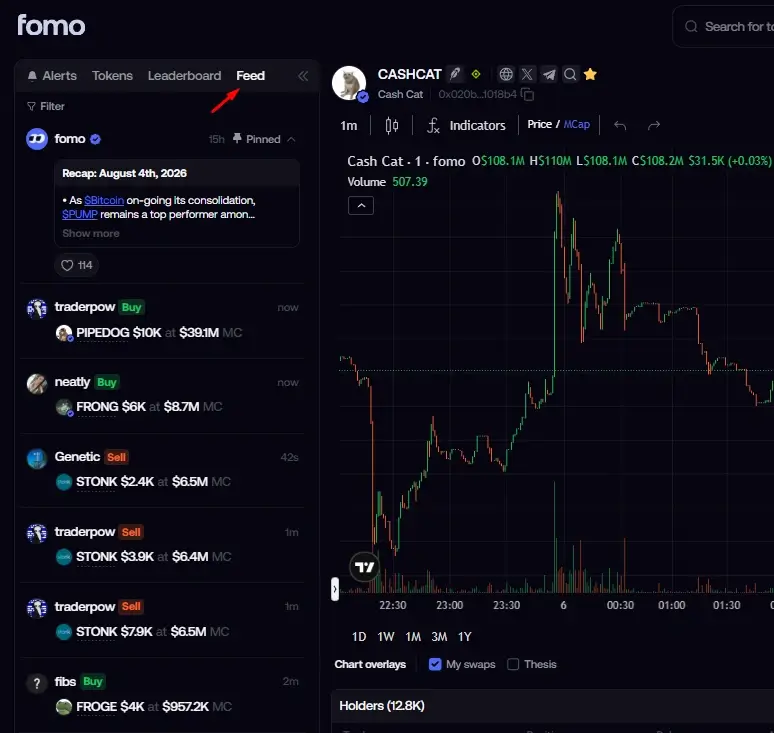
You can fund your account using supported methods, find a cryptocurrency, review the token information and buy it. When you’re ready to exit, you can open the position and sell some or all of your holdings.
And if you want to withdraw for cash, you can do that using USDC on the Solana chain, or to bank if you are in the USA.
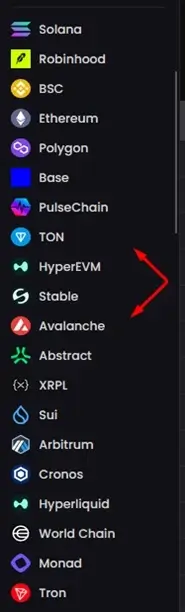
And if you are wondering if Fomo supports only Solana chain. No, on Fomo, you trade across multiple chains, including Solana, Base, BNB Chain and Monad, while its web platform lets you use the same account, balance and positions from your desktop.
If you are a beginner, you will love it here because the platform is not scary, with advanced features like Fomo alternatives for advanced trading.
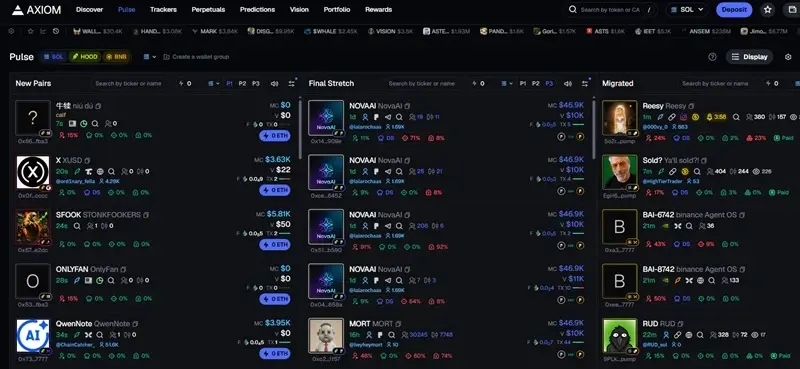
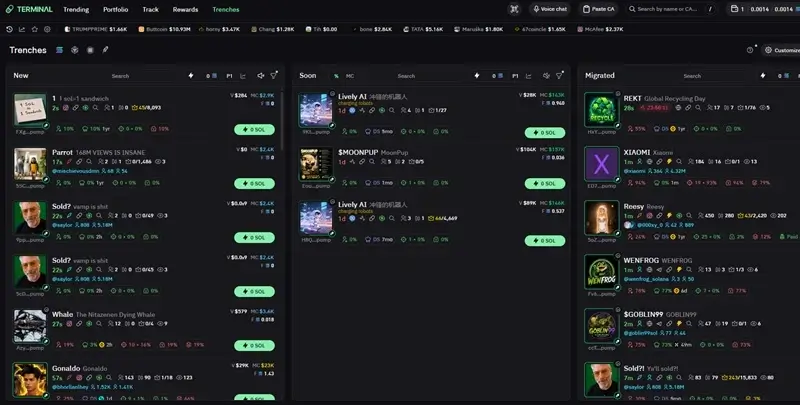
How To Buy Tokens, Coins and Crypto on Fomo App
By now, I hope you understand that not all cryptocurrencies are tokens, but all tokens are cryptocurrencies.
Still confused about the difference, or other memecoin trading terms?
Don’t worry. We’ve put together a comprehensive guide covering 61+ essential memecoin trading terms to help you understand the trenches better.
Here is the full step-by-step guide on how to buy on Fomo app.
Step 1: Open FOMO and Log In
Open the FOMO App and log in to your account.
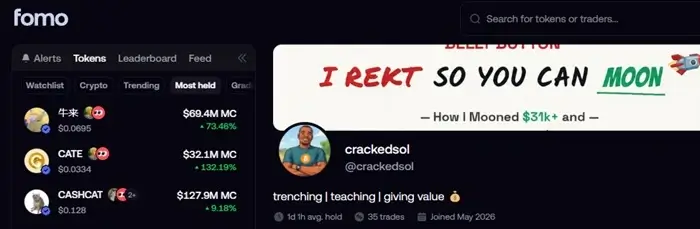
I’ve already shown you how to create a FOMO App account if you don’t have one yet. Follow the step-by-step guide above to get started.
Once you’re inside the app, you’ll be able to access the token discovery, search, social feed and portfolio features.
Step 2: Find the Crypto You Want to Buy
There are several ways to find a cryptocurrency on Fomo. You can do that by going to Tokens → Graduated → Crypto → Most Held → Trending → Bonding [if you are on Desktop]
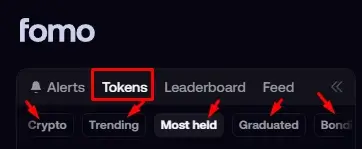
Alternatively, if you have the token ticker, you can use the search bar [type the name or paste the CA], and search.
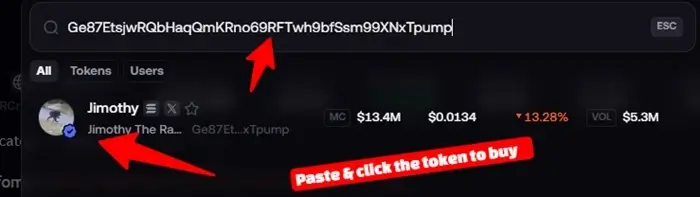
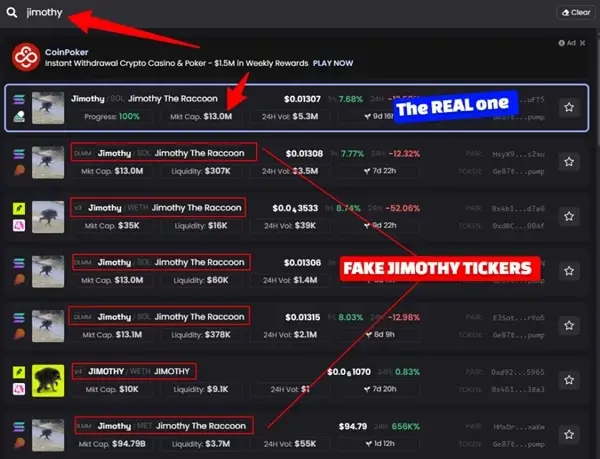
Note, if when you search, you see many vamps [variations of the token], you want to use the CA and paste.
For example, if you already know you want to buy: SOL or BaseCat you can search for SOL and open its token page.
In conclusion, if you want to buy blue-chip cryptos [like Bitcoin, Sol, Eth] and hold, select the “Crypto” tab, and if you want to buy memecoins, selected the others.
Step 3: Research the Token Before Buying
If you’ve already decided which token you want to buy, you can skip ahead to Step 4. But if you need help researching and evaluating the token first, keep reading.
The thing is, you don’t want to rush straight to the Buy button just because a token is pumping. This is especially important with memecoins, where a strong pump can quickly turn into a brutal dump.
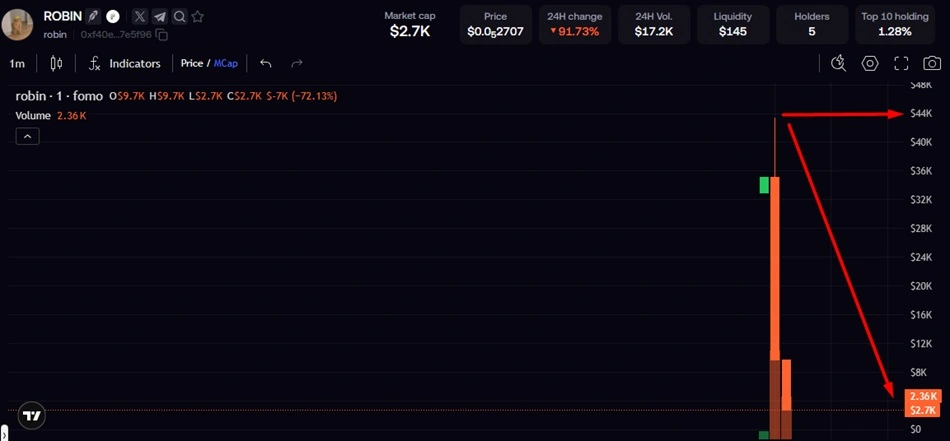
Take a moment to research the token, understand why it’s moving, check the narrative, liquidity, market cap, and holder distribution, and then decide whether the trade actually makes sense.
When you open an asset on Fomo, you can access information about the token, including holder information and links to relevant websites and social accounts.
Depending on the asset, you may also want to examine:
- Market cap
- Liquidity
- Trading volume
- Holders
- Recent activity
- Token information
- Social activity
- The reason you’re considering the trade
The goal isn’t to predict the future perfectly.
It’s to know what you’re buying and why you’re buying it. Here are a few things to check before you buy a memecoin [if you are a beginner]
Case Study: We will use $BaseCat as an example – because I had already done my research on it and my narratives for buying.
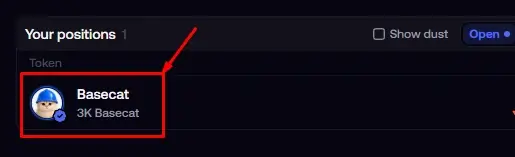
Please replace yours with $BaseCat [Blue-chip or other memecoins].
Step 4: Decide How Much You Want to Buy
Once you’ve researched the token, decide how much you’re willing to put into the trade.
For example:
Available balance: $1,000
Amount allocated to the trade: $100/$200/$300
You don’t have to use your entire balance just because you have it.
Position sizing matters, particularly when you’re trading volatile assets.

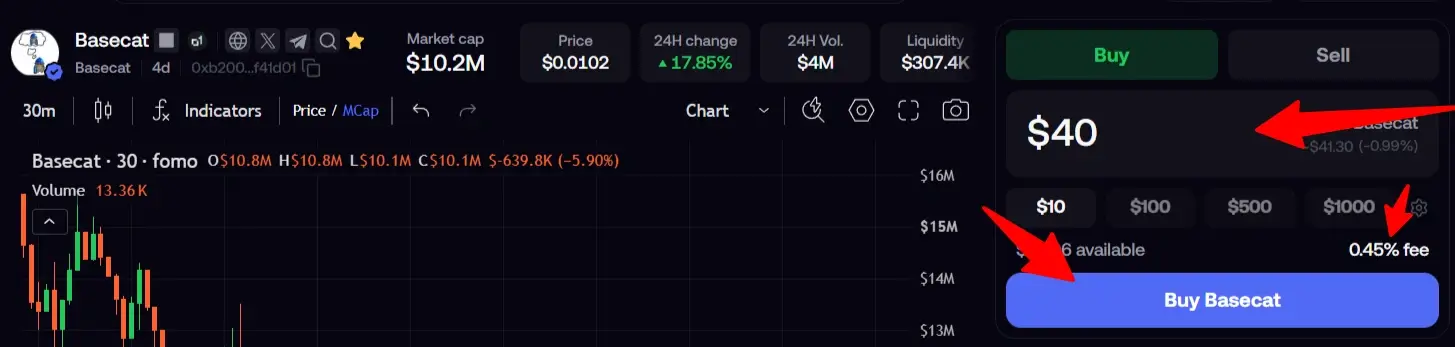
Step 5. Enter the amount to buy
Based on your funded balance, enter the amount you want to buy. You can also use the $amount command to select your range.
I will be buying the $BaseCat for $40.
Step 6. Review and Confirm Your Purchase
Before you confirm the trade, review the transaction.
Pay attention to the amount you’re spending and any applicable fees. And once you’re satisfied with the details, click on “Buy”.
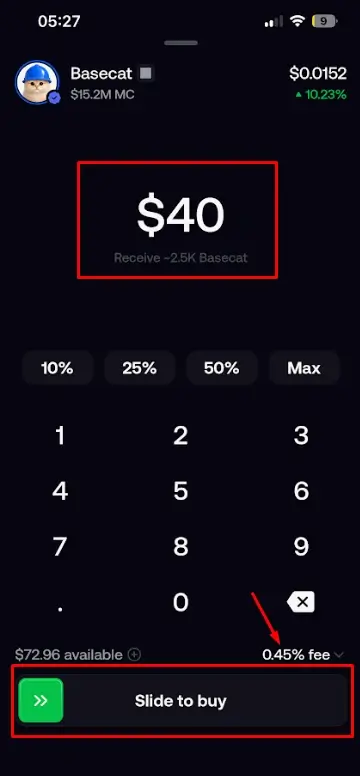
If you’re on mobile, the process is similar. Enter the amount you want to buy and confirm the transaction.
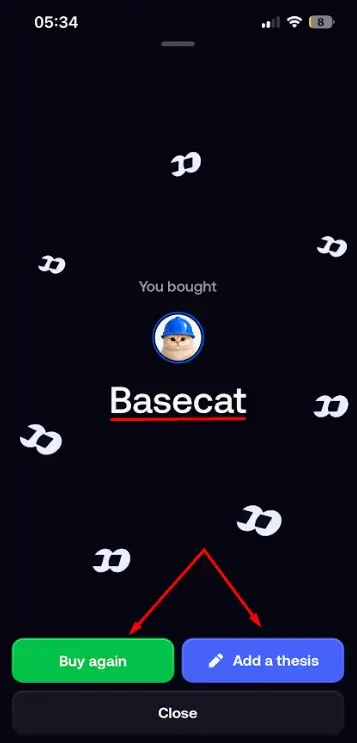
Then slide the Buy button to the right to complete the trade. Once the transaction goes through, FOMO App will display a success prompt confirming that you’ve successfully purchased the crypto.
You can then choose to buy more or add a thesis explaining why you bought the token. Adding a thesis is completely optional.
Once the transaction is completed, your new crypto position should appear in your portfolio.
That is all.
How to Know if Your Crypto Purchase Worked
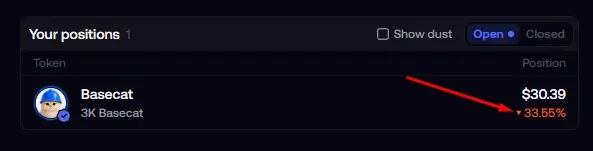
After buying, check your portfolio, you should be able to see the asset you purchased along with your position information.
FOMO provides portfolio tracking and live P&L information so you can monitor how your positions are performing.
For example, if you bought: $100 of SOL and it later become $125 your position is showing an unrealized gain of approximately: $25 before considering applicable fees and other trading costs.
You haven’t actually locked in that $25 until you sell.
In the same way, if the position is down, it will show P&L also. See mine below.
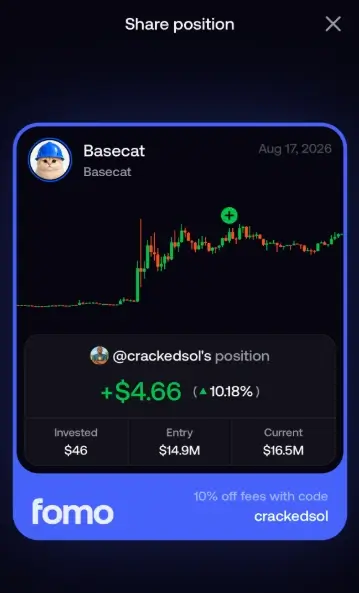
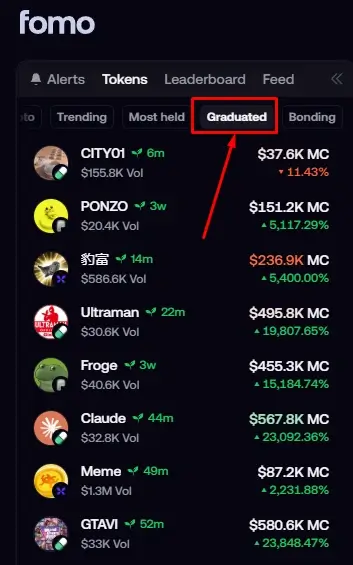
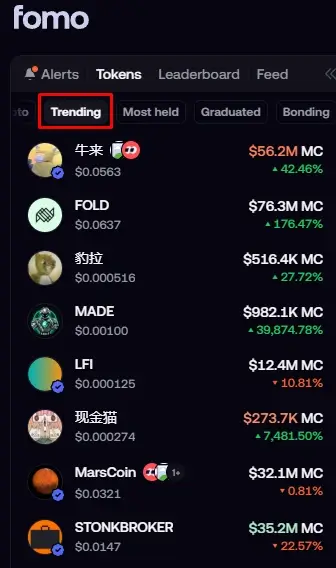
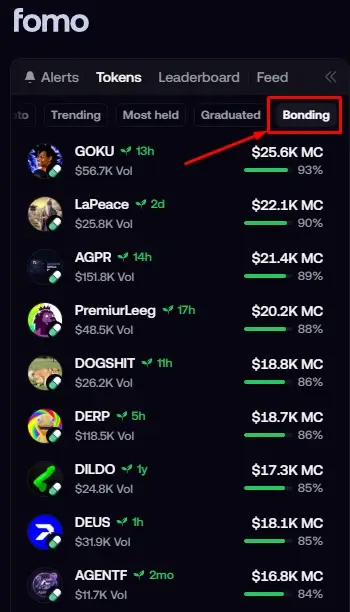
When you find a token you’re interested in, do your research first. If you’re comfortable with the trade, follow the same buying process described earlier and tap Buy.
Once the transaction executes, you’ll have a position in the token.
And that’s it, you’ve just bought an unverified token on FOMO.
What if you want to buy verified Coins on Fomo App? I’ve got you. Here is how to do it.
How To Buy Verified Coins on Fomo
If you want to reduce your exposure to some of the risks associated with newly launched tokens, you may prefer trading verified tokens on FOMO App.
Verified tokens are marked with a blue tick, making it easier to distinguish them from newly launched and unverified tokens.
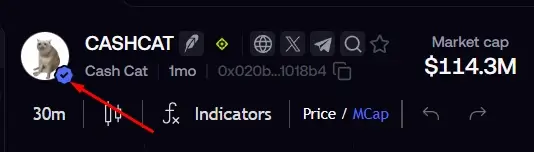
How to Find Verified Tokens
To find verified tokens, head to the Trending or Most Held sections on FOMO App.
Look for tokens with the blue verification tick. These are the tokens FOMO has verified.
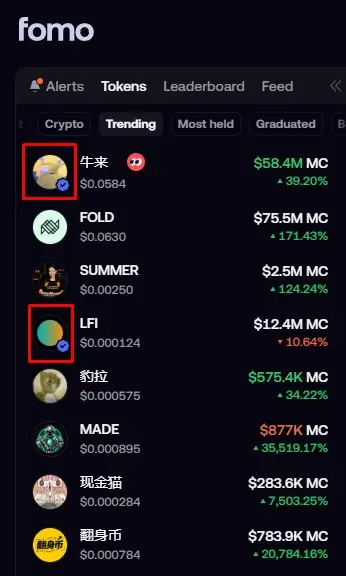
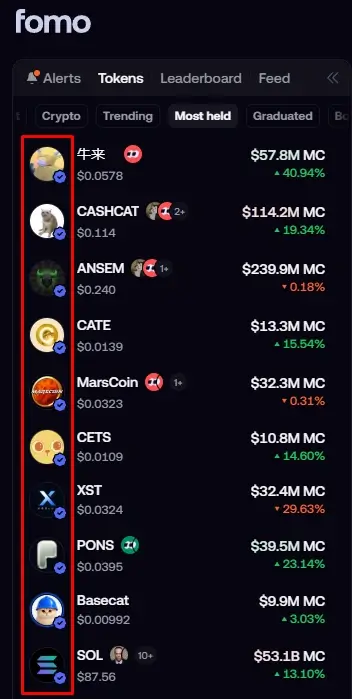
Once you’ve found a verified token you want to trade, do your research and follow the same buying process outlined earlier.
Select the token → enter your amount → confirm the transaction → buy your position.
And that’s it, you’ve bought a verified token on FOMO App.
What if you want to buy on Fomo using Apple Pay?
Yes, you can buy crypto on FOMO using Apple Pay. But the main limitation is that Apple Pay may not give you access to every token available on FOMO, so it’s worth checking whether the token you want is supported before proceeding.
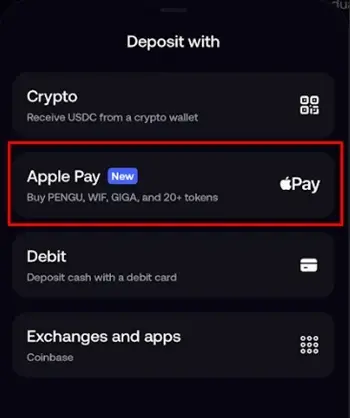
Once you’ve found a supported token, you can enter the amount you want to buy, authenticate the payment with Apple Pay, and complete the transaction.
Let’s see exactly how it’s done.
Buying Crypto on FOMO Using Apple Pay
Step 1. Go to Deposit
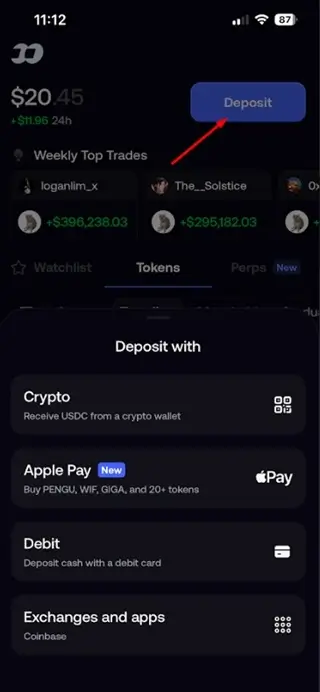
Step 2. Select Apple Pay
Step 3. Search for supported tokens
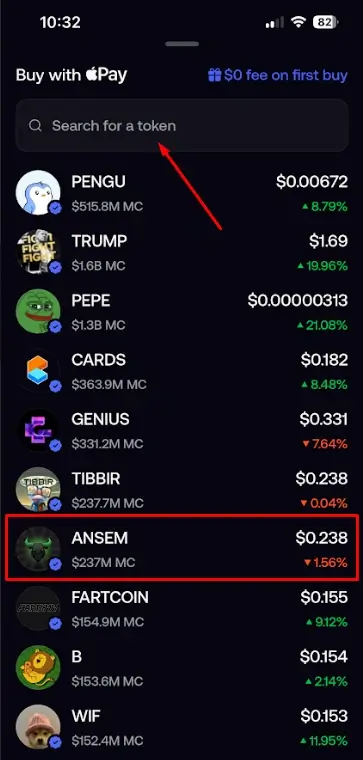
Step 4. Enter amount and review the transaction
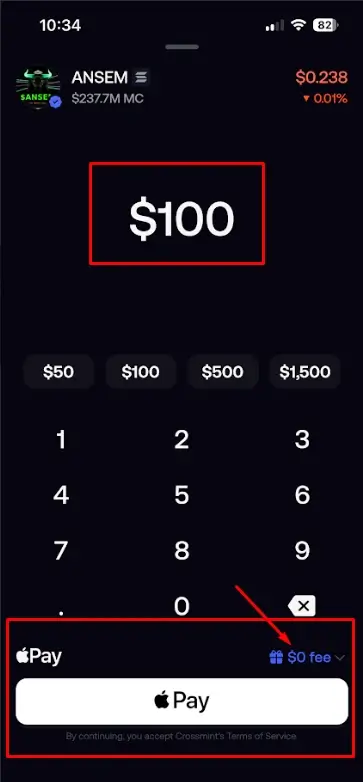
Step 5. Buy the token
Fomo uses CrossMint payment system to process Apple purchases, so, select how you want to go about it. You can add a payment card or phone number.
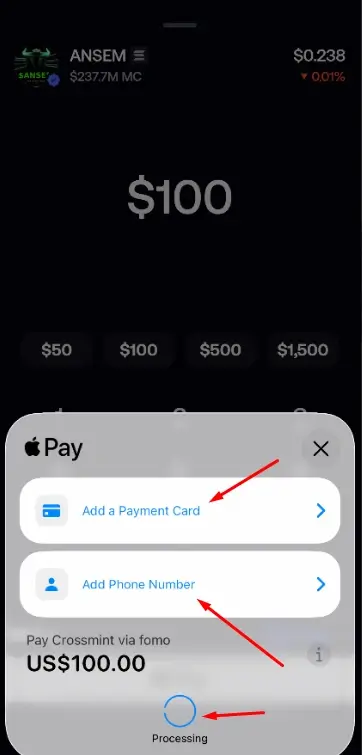
Choose one and click buy. That is all.
We are done with the buying processes.
Getting ready to sell on Fomo App
Let’s assume your trade has gone well, you’ve made your profits, and you’re now ready to sell.
The selling process is essentially the reverse of buying. Let’s walk through it step by step.
How to Sell Crypto on FOMO App
The process is just as straightforward. If you sell the entire position, you’ve effectively closed the trade.
If you sell only part of it, you’ll continue holding the remaining amount.
For our case study token, $BaseCat, I’m going to sell only part of my position because I still believe in the underlying narrative.
That’s the reason I’m not selling everything. Keeping the rest of my position open since I believe the narrative will catch fire soon and $BaseCat makes another move.
Let’s get started.
Step 1: Find the Memecoins You Want to Sell
Go to your portfolio and find the cryptocurrency or memecoin you want to sell [should you have many of them].
Tap the asset to open its position. You’ll want to confirm that you’ve selected the right token before proceeding.
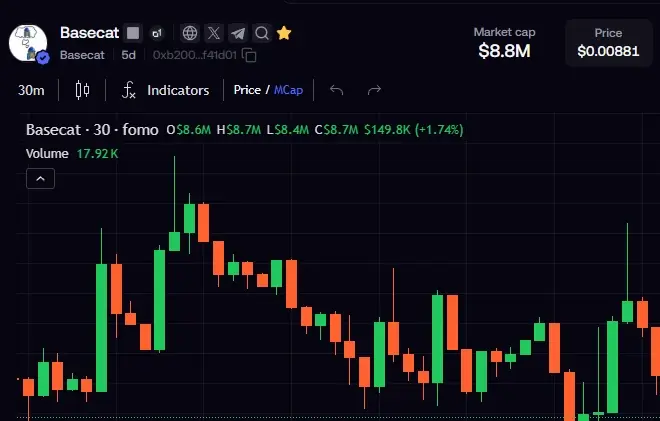
This is especially important if you’re holding several similar-looking tokens.
Step 2: Tap Sell
Once you’ve opened the token or position, select Sell.
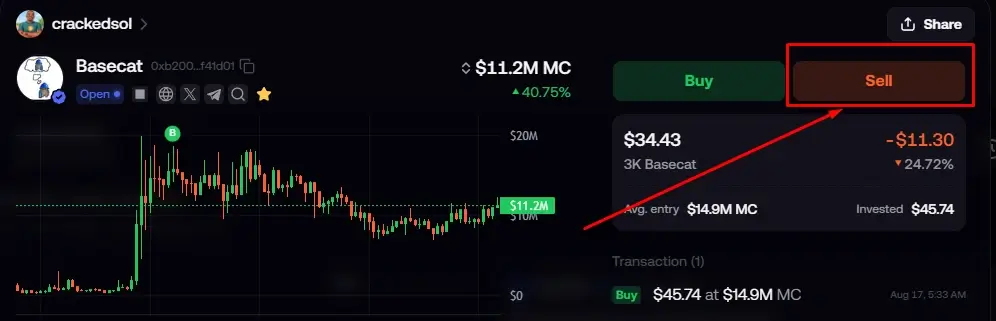
This is the action that closes your spot position.
If you want to exit the entire position, you’ll sell the full amount you hold.
And if you only want to take some profit, you can sell part of the position and leave the rest invested.
Step 3: Choose How Much You Want to Sell
You don’t always have to sell everything.
You can decide to:
- Sell your entire position
- Sell part of your position
- Take out your initial investment
- Lock in some profit while keeping some exposure
For example, suppose you bought: $200 of a memecoin and your position is now worth: $600. You could sell the entire $600 position.
Or you could sell enough to recover your original $200 and leave the remaining position running.
The second approach is sometimes called taking your initial out.
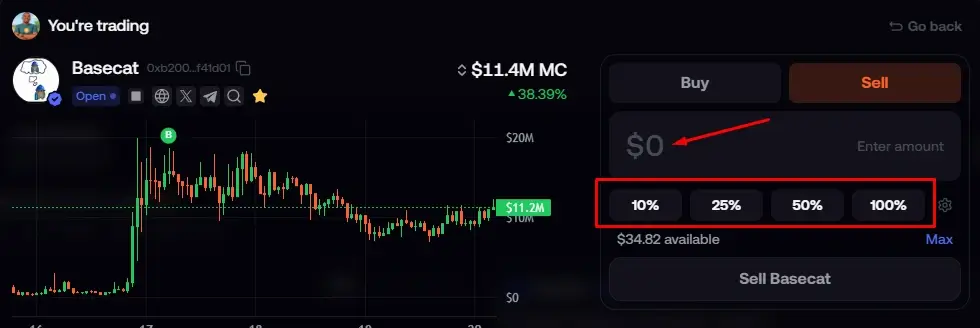
You are free to also select in percentage as well.
Step 4: Review the Sale
Before confirming, take a moment to check the transaction details.
Make sure:
- You’re selling the correct token.
- The amount is correct.
- You’re comfortable with the expected proceeds.
- You understand the applicable trading fee.
- You’re happy with the current market price.
This is particularly important when you’re trading volatile memecoins because the action is irreversible.
And kindly note that you might get slightly different amounts because a token can move significantly between the time you decide to sell and the time the transaction executes.
Step 5: Confirm the Sale
Once everything looks correct, confirm the transaction. Click on Sell
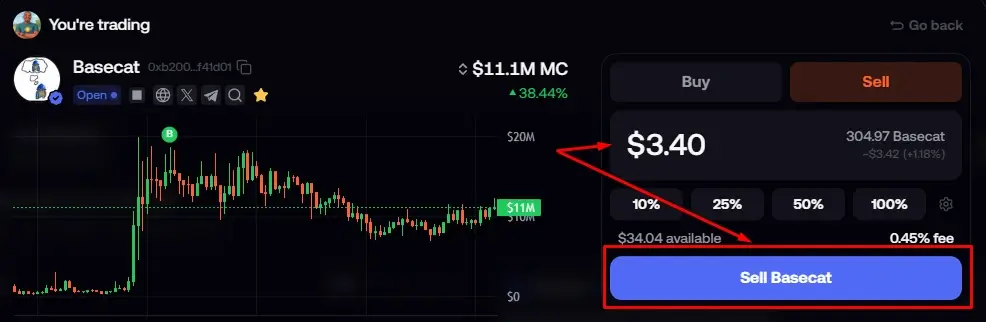
After the sale executes, your position will be reduced by the amount you sold.
If you sold the entire position, you have effectively closed the trade.
You can then check your portfolio to confirm that the position has been removed or reduced accordingly, and the cash added to your balance.
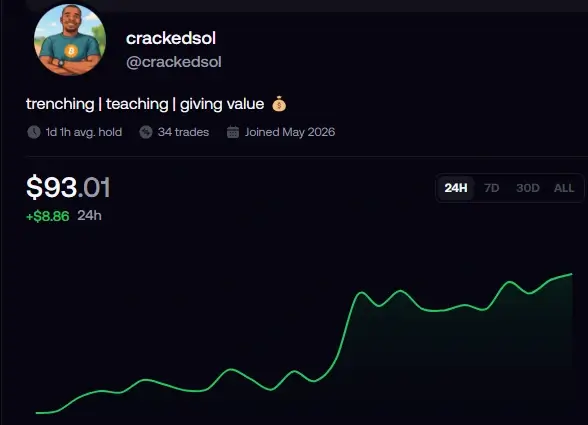
How to Take Partial Profit
The steps are really simple. Instead of clicking 100% to sell your entire position, you can sell 50%, 30%, or whatever percentage you want.
How do I do it? As soon as I get 100%, I take out my initial money and let the trade continue using the profits.
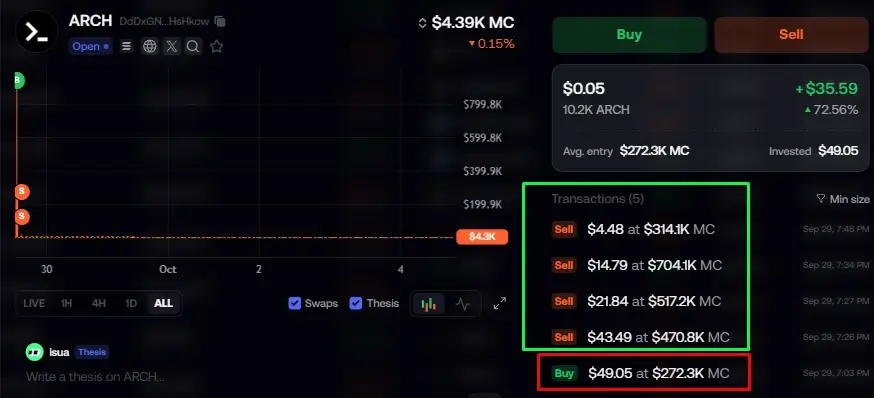
That way, I’m no longer risking my original capital. All I have to do is take profits as the chart moves up. And if I notice the chart starting to go down, I close the trade – still in profit. See below.
How to view a completed trade
After selecting and entering a trade you want to sell or buy, you can view your completed trades by going to your Profile, where you’ll see a list of your trades.
You can also view them under the trading history section of your account. Check the top-right corner of your account to access it.
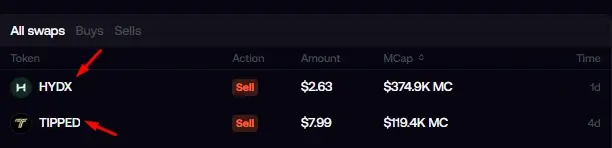
Or, see our detailed guide on how to use FOMO.
7 Common Mistakes When Buying and Selling Crypto on FOMO
1. Buying because a token is trending
Trending doesn’t automatically mean profitable.
2. Using your entire balance
Keeping some capital available gives you flexibility and reduces the risk of being completely exposed to one trade.
3. Ignoring liquidity
A token can show a huge theoretical market-cap gain while still being difficult to sell.
4. Buying without an exit plan
Decide what would make you sell before you’re deep in the trade.
5. Panic selling
A temporary price move doesn’t necessarily invalidate your trade.
6. Overtrading
More trades don’t automatically mean more profit. FOMO specifically warns that excessive trading increases fees and risk.
7. Blindly copying other traders
FOMO makes it easy to see what other traders are doing, but their trade doesn’t automatically become your trade. Do your own research.
For a Simple Buy-and-Sell Strategy for Beginners, check the free beginners guide on trading memecoins.

Thanks for finally writing about > How to Buy and Sell Crypto on Fomo
App (Beginners Guide) < Loved it!
Thank you, and welcome.