FOMO App Referral Code: Get Real 10% Code (Not Fake 100%)

Why Some FOMO Referral Codes Claim 90–100% Off (And Why That’s False)
If you’ve searched around for FOMO referral codes, you’ve probably seen pages promising codes like “SAVE100” or “DISCOUNT100” for a 90–100% fee discount. Those are false and lies.
To clarify, the FOMO referral program caps the discount at 10% off trading fees for new users. That’s the standard benefit across the platform, regardless of which code you enter.
There’s no code, official or otherwise, that unlocks a bigger discount than that. If a page is advertising a 90%+ off code:
- It’s likely outdated or referencing a limited-time promo that no longer applies
- It may be an AI auto-generated, or scraped page that copy-pasted a discount number without verifying it against FOMO’s actual terms
- Entering such code may give an INVALID response or will still only apply the standard 10% off – nothing more.
We’d rather tell you the accurate number than chase a bigger headline. If you’ve already tried one of those inflated-discount codes and it didn’t do anything extra, that’s expected – the CRACKEDSOL code above gives you the same legitimate 10% off that any valid referral code does, with no surprises.
What Happens After Signup?
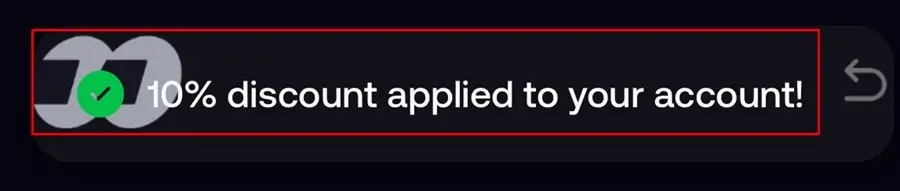
When you sign up with the referral link or code, you will get a prompt that the 10% discount has been added to your account.
Below, we’ll show you exactly how to use the FOMO App referral code CRACKEDSOL, redeem any eligible rewards, and get started trading in just a few minutes.
How to Sign Up With the FOMO Referral Code
Getting started on the app is simple because the process is simple for all users; No long KYC, no seed phrase, simply seamless to get onboarded.
Step 1. Download the official Fomo app
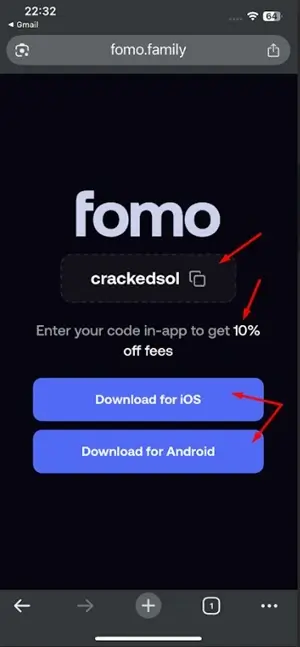
Use the referral link below to create your account. You can either click the link directly or copy and paste it into your browser-whichever is easier for you.
If you are using a computer/desktop/webapp, go to the official website link at fomo.family [ref link] to sign up.

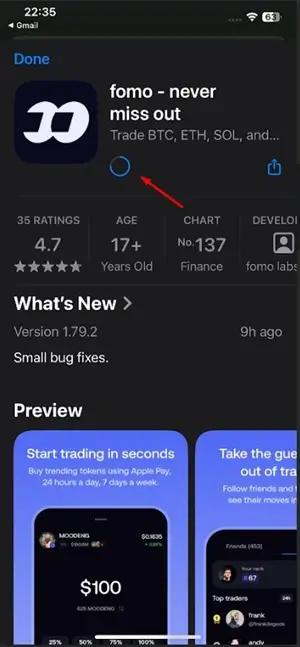
Or Download the FOMO app from the App Store, Google Play, or the fomo.family website.
Disclosure: When you trade using our referral code, we receive a small share of the trading fees only if you actively trade on the Fomo app. If you don’t trade, we earn nothing.
If you are using a mobile phone, download the app. And if on Desktop, sign in.
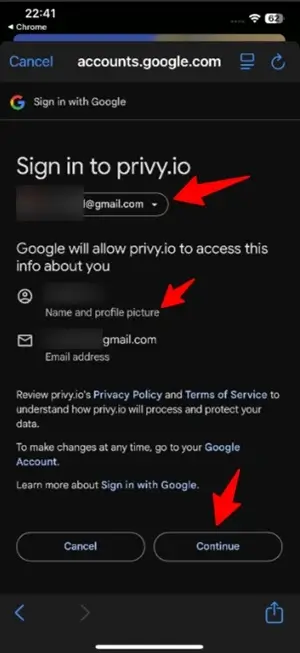
Step 2. Sign in with email or Apple ID
Having downloaded and installed the app, “start trading tokens instantly” by signing in using Apple ID or Email. Click on “Continue” to proceed.
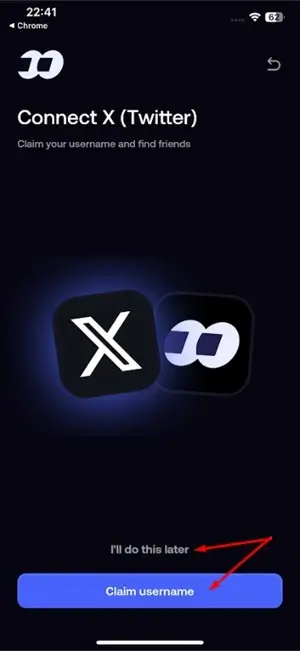
▪ Connect to Twitter [X] – optional or later.
▪ Enter Referral Code
If you used our referral link above, it will automatically be entered and approved for onboarding + 10% off fees!
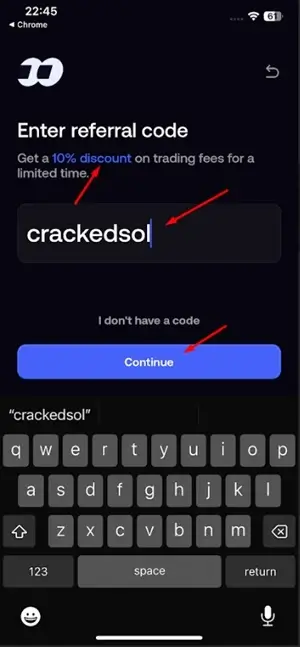
But if the code is not entered automatically, kindly use it below👇🏾

▪ The 10% off fees will be applied to your account [when you use the ref link/code]
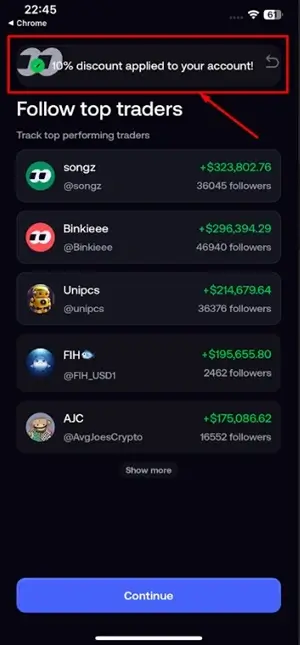
- Follow Top Traders/KOLS.
Fomo will recommend a few top-performing traders and KOLS [key opinion leaders] to follow. Follow the ones with proven results or do it later.
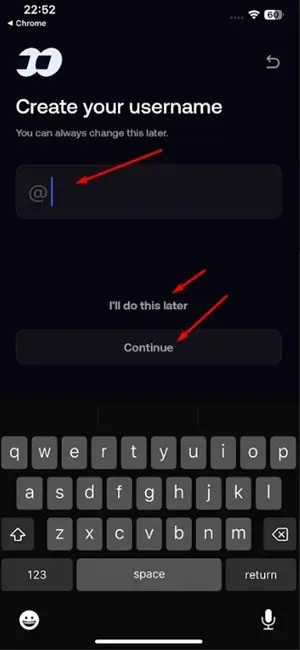
Step 3. Create a Username
You can create a username – which will also serve as your referral name/code when you share your [ref] link with family and friends to sign up on the platform.
You can choose something unique or do it later – it’s editable.
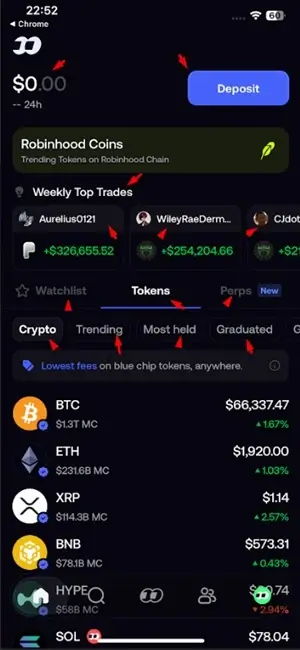
- Land on the trading platform feed
Clicking “Continue” will onboard you to the trading feed, where you see: Weekly Top Trades, Tokens, Watchlist, Trending, Most held, Graduated, Perps, Contacts, Profile, Deposit button, and Search.
How Much Can You Save?
Using a referral code is one of the easiest ways to maximize your signup benefits before you start trading. Whether you’re planning to trade memecoins or other cryptocurrencies, creating your account through our referral link/code ensures you don’t miss any available welcome offers.
Without a referral link/code, you pay up to 0.50% in trading fees or more.
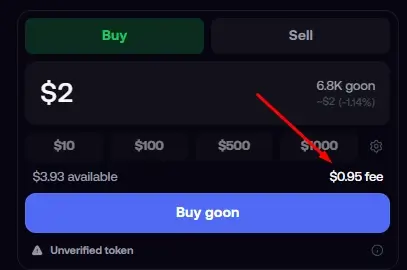
But with a referral link/code, you get a reduced fee of 0.45% – see below 👇
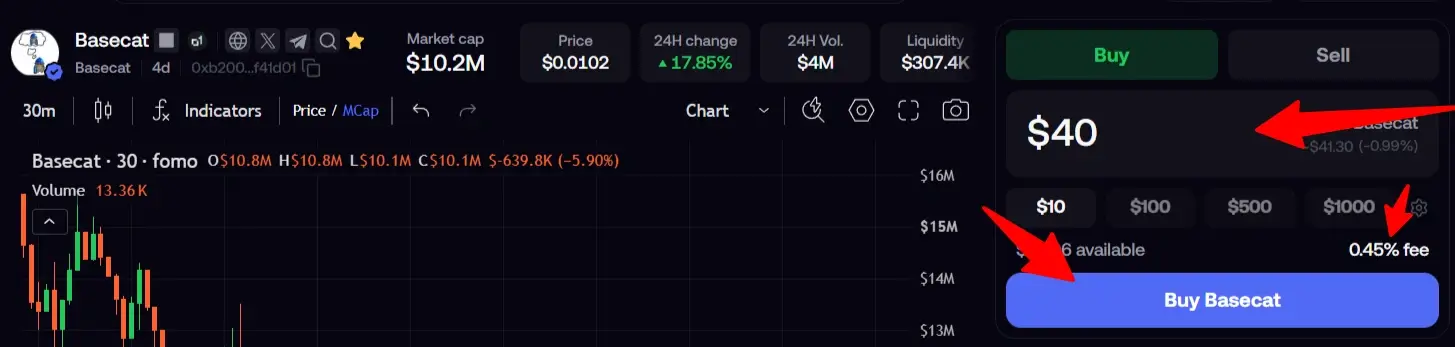
See how the math adds up below.
FOMO Referral Program: How It Works
Fomo runs its referral program directly inside the app. Meaning, any user can find their own referral link under their profile, and there’s no follower-count minimum to qualify.
When someone signs up through your referral link, the new user gets a trading fee discount, and you, the referrer, earn a real-time commission – up to 25% on trades made through their link. That’s the same structure behind the CRACKEDSOL code above.
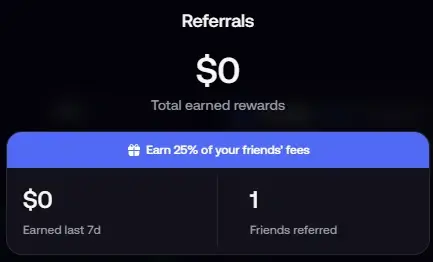
FOMO Referral Program vs Affiliate Program: How Much Do You Get Paid
Kindly note that FOMO offers two different reward programs:
1. Referral Program:
When someone signs up through your referral link, they receive 10% off trading fees, and you earn the standard 25% of the trading fees they generate.
2. Affiliate Program:
This is FOMO’s main partner program, allowing qualified affiliates to earn 25%-50% of the trading fees generated by their referrals.
The affiliate program offers more advantages, including exclusive merch, special offers, and promotional opportunities throughout the year as an active affiliate, as well as sharing exclusive promos.
To qualify for the Affiliate Program, you’ll need to submit an application, provide your social media profiles or community channels, explain how you intend to promote the platform, and meet FOMO’s eligibility requirements.
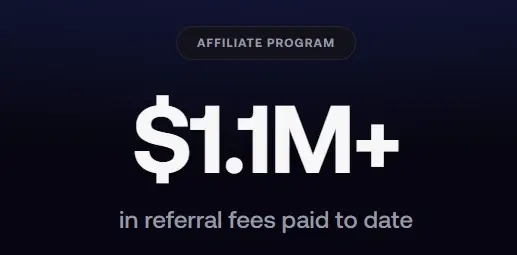
We’ve written a comprehensive guide explaining how to apply for the FOMO Affiliate Program, where to submit your application, the approval requirements, and how to maximize your affiliate earnings.
How To Use Fomo Trading App Referral Code/Link
There are several effective ways to share your FOMO referral link/code and earn rewards. Here are some of the best methods:
1. Share Your FOMO Trade Banner
Whenever you make a profitable trade on the FOMO app, you can tap the Share button to generate a trade banner showcasing your results. The banner automatically includes your referral code.
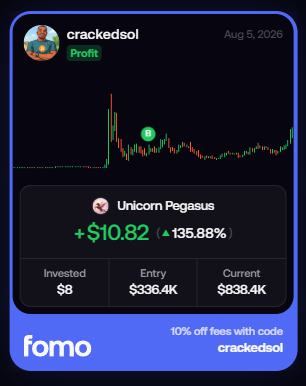
Anyone who sees your post can copy the referral code from the banner and enter it during sign-up to be linked to your account.
This is one of the easiest and most authentic ways to promote your referral link, as you’re sharing real trading results rather than simply asking people to sign up.
2. Share on Social Media
Many traders grow their referrals by creating valuable content on social media and naturally including their FOMO referral link/code.
Platforms you can use include:
- YouTube
- X (formerly Twitter)
- Telegram
- Discord
- TikTok
Pro Tip: If you’re promoting on Reddit, focus on providing genuine value before sharing your referral link. Answer questions, share trading insights, and contribute to discussions first.
Otherwise, posting referral links without contributing to the community is likely to get your posts removed or even get you banned from the subreddit.
3. Share with Friends and Family
If you have friends, family members, or colleagues interested in crypto trading, simply send them your FOMO referral link/code.
When they register using your link (or enter your referral code during sign-up), they’ll automatically be linked to your account. As they continue trading on FOMO, you’ll earn referral rewards according to the platform’s referral program.
See also – Make Money with FOMO App
How to Copy your Referral Code on Fomo Trading App
- To Copy your referral code, login and go to the top right corner of your account
- Click on the “gift box” icon
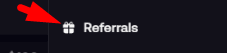
- Copy out your referral code there.

How to Withdraw Your Fomo App Referral Earnings
Your Fomo referral earnings are added directly to your main Fomo account balance, so there’s no need to manually transfer them from a separate referral balance before you can withdraw. Fomo’s help center also confirms that referral rewards are added to your account balance as cash and can be withdrawn.
Since your referral earnings are already part of your wallet balance, the withdrawal process is essentially the same as withdrawing your other funds from Fomo.
To withdraw:
- Open your Fomo app and go to your Wallet.
- Select Withdraw.
- Choose your preferred withdrawal method and follow the instructions.
- For a crypto withdrawal, select the appropriate cryptocurrency and network.
- Enter the amount you want to withdraw.
- Paste your receiving wallet address and confirm the withdrawal.
Fomo’s official withdrawal instructions follow this same process: select the currency and network, enter the amount and withdrawal address, then submit the withdrawal.
If you’re withdrawing crypto, USDC on Solana can be a convenient option if your receiving wallet or exchange supports USDC on the Solana network. Just make sure the network and wallet address match before confirming the transaction.
Once the withdrawal is processed, the funds should arrive in your receiving wallet. However, the exact arrival time can vary depending on processing and network conditions, so I wouldn’t guarantee a specific time such as “under 3 minutes” for every withdrawal.
Need a more comprehensive, step-by-step guide? Here’s how to withdraw your Fomo funds in real time, from selecting your withdrawal method to receiving the money in your wallet.
Is a Referral Discount Worth Chasing?
Marginally, yes, a fee discount compounds if you trade frequently, and there’s no real downside to applying a legitimate one at signup.
But it shouldn’t be the deciding factor in whether you use the app or how much you trade. Why?
The bigger financial variable by far is what you’re trading (memecoins are volatile) and how much you commit, not a 10% shave on transaction fees.
If you’re ready to trade memecoins like a pro, we’ve created the ultimate guide to help you get started. Learn proven strategies, risk management techniques, and how to identify high-potential opportunities before they become mainstream.
If you’re completely new to crypto, don’t worry, as we’ve also put together a FREE Memecoin Trading for Beginners Course that walks you through everything step by step, from setting up your wallet to making your first trade.
Alternative to Fomo Referral Codes
There are other social trading platforms with similar rewards and discount code programs, such as Axiom, GMGN, Terminal, and others.
Below is a list of these platforms and how to use their referral codes:
✅ Axiom Trade – Best for more advanced traders | Sign up and get 10% off all trades.
✅ GMGN – Best for on-chain research and smart money tracking | Sign up and get 10% off all trades.
✅ Terminal (formerly Padre) – PWA designed to mirror advanced trading | Sign up and get 35% cashback.
✅ Trojan [Telegram] – A fast on-chain exchange for memecoins | Sign up and get up to 45% cashback.
✅ Based Bot – Automation and multi-chain trading | Sign up and get 30% cashback.

One Comment