FOMO App Download: How to Get FOMO Safely & Easily

If you’re searching for FOMO App download, make sure you always want to download the real FOMO crypto trading app. Why is this important?
Because there are several apps and websites using the name “FOMO,” and there are also third-party websites offering what they call a FOMO APK.
That can make finding the correct app more confusing than it needs to be.
I’ve checked the current official listings, and I also contacted FOMO after finding third-party APK websites appearing in Google.
The safest approach is simple: Download FOMO through an official app store or use the official FOMO website.
We will soon see exactly how to do it. But first, where is the best place to download the app?
Where Can You Download the FOMO App?
FOMO is currently available as a crypto trading application on Android and iPhone, and the FOMO service is available on the web for both desktop and mobile users.
For Android, the official Google Play listing is published by fomo Labs Inc. and uses the application ID fomo.family
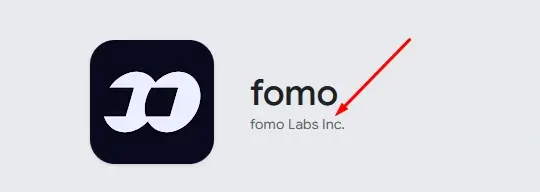
For iPhone and iPad, the official App Store listing is also published by fomo labs, inc.
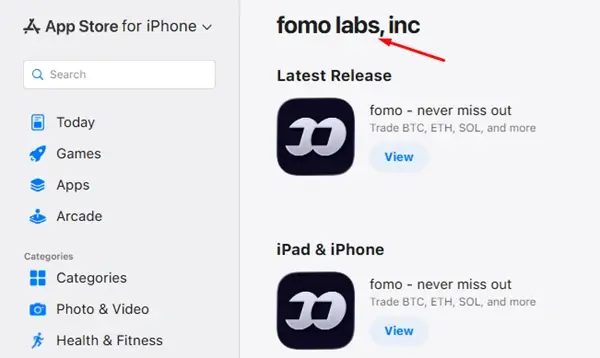
You can also access FOMO through its official website.

The three options I’d recommend are:
- Android: Google Play
- iPhone/iPad: Apple App Store
- Web: FOMO’s official website
Let’s see how to download the app.
How to Download FOMO App on Android and iPhone
If you’re using an Android phone, you don’t need to search for an APK file, because there is none. The official FOMO application is ONLY available through Google Play.
Follow these steps:
1. Go to the Fomo.family
First off, to download the app, you need to access the official link web page to choose your device.
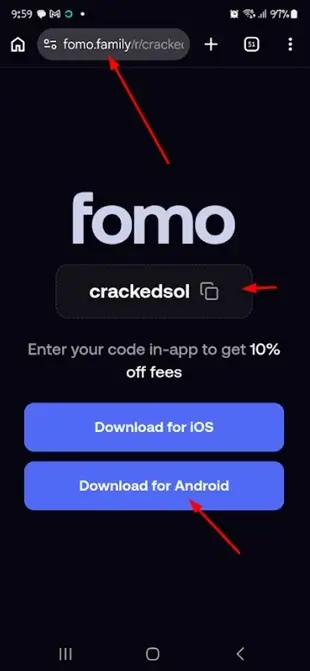
To get started, click here to access the fomo.family app platform [ref] – which will prompt you to download the app.
2. Choose “Download for Android/iOS”
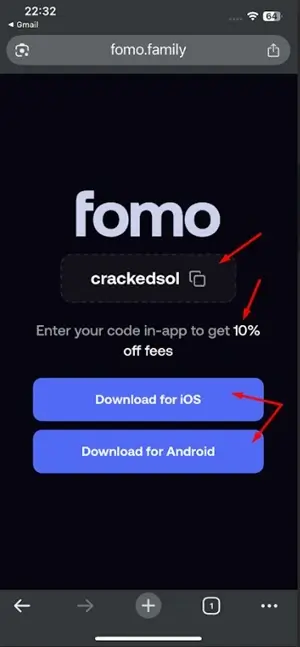
With the official referral fomo code “crackedsol” automatically entered [when you click the ref link], you get 10% off fees on all your trades.
If you are using android device, Click on “Download for Android” to continue.
And if you are using an iOS device, Click on “Download for iOS” to continue.
Disclosure: We earn a small fee if you sign up and trade using our code/link. However, we earn nothing if you don’t use the code nor trade on the platform. But if you do, you also get 10% off all trading fees.
3. Check the application and Install
Cross check the developer – you will see “fomo Labs Inc” – since you used the official referral app link.

Do the same for iOS. Download from the iOS store.
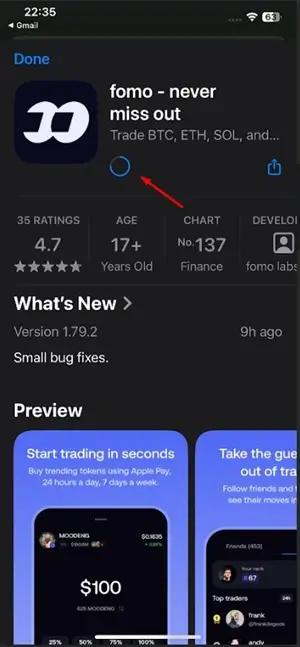
Once you’ve confirmed you’re looking at the correct application, tap Install.
4. Chose Sign up option
After installation, open the app and continue. You’ll have two options to sign up: for Android, you will likely select the Google account or email address you want to use.
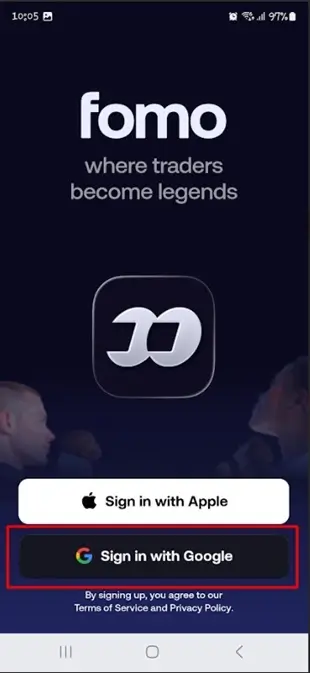
Do the same for iOS, select Apple and continue.
Full Sign-up guide: learn how to create an account in 1 minute.
Lastly, let’s see how to use the web app.
How to Access FOMO on PC or Desktop
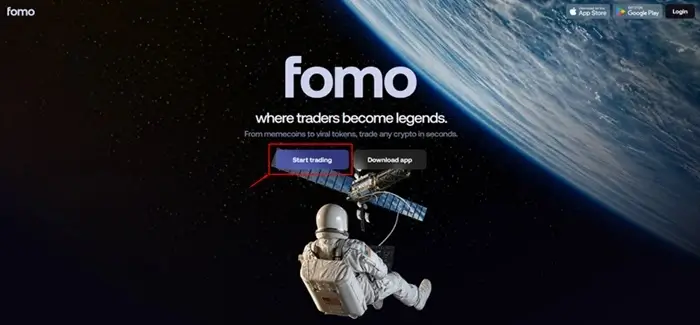
Step 1. Access the official Fomo app web page
To get started, go to the fomo.family app platform – which will prompt you to choose an account top use.
Step 2. Choose Sign up account options
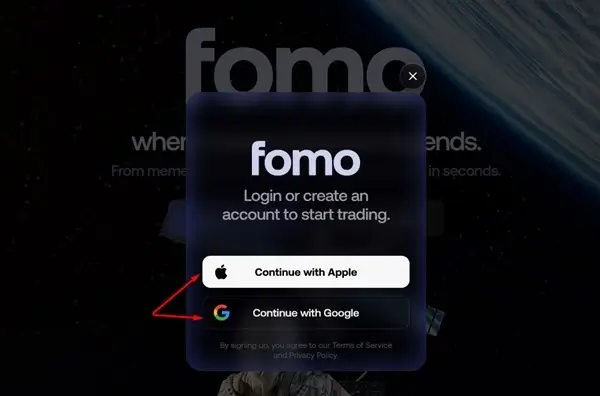
When you click on “Start Trading” from the homepage, you will be prompted to choose either Apple or Google.
Step 3. Choose account details
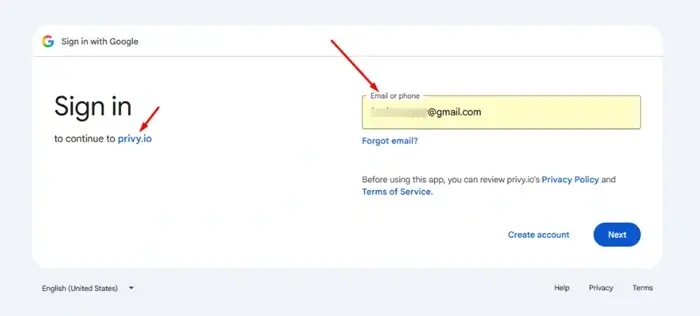
If you choose Google, select the Google account or email address you want to use.
If you choose Apple, select the Apple ID you want to use and continue with the sign-up process.
Step 4. Access your Fomo Dashboard
Having entered your email, you will be redirected to access your Fomo account dashboard. You can go ahead and set up all details, and use FOMO directly in your browser.
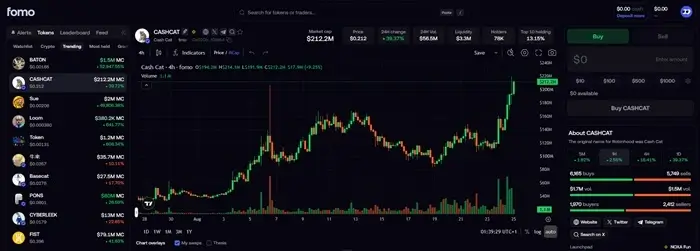
That’s all about it.
Ready to get started? Click here to access the web app.
Read also – Desktop users: Follow the complete setup process for creating and accessing your FOMO account on desktop.
Is There an Official FOMO APK?
If you’re on Android, you may see websites telling you to download a FOMO APK. You don’t need to as I could not verify an official FOMO APK distributed directly by FOMO.
So instead of: Google → FOMO APK → third-party website → download file
I’d recommend: Access the fomo.family link → Google Play → FOMO → Fomo Labs Inc. → Install
If you’re still wondering whether a FOMO APK is safe, I reached out directly to the FOMO team to clarify. Their response was clear: FOMO does not approve or distribute any unofficial APK or MOD app.
So, treat it all APKS downloads with caution. Stick to FOMO’s official app stores or its official web application instead.
Can You Download FOMO on a Computer?
No, you cannot. Fomo does not have a software version to download. The only route is the web version.
This can be useful if you prefer trading from a larger screen.
Can You Download FOMO and Start Trading Immediately?
Yes, you can. However, downloading the app doesn’t automatically mean you’re ready to trade; you’ll still need to create an account and fund it before trading.
How to Update FOMO App
One advantage of using the official app store is that you can receive official application updates through the normal update process.
Android: Open Google Play → search for FOMO → open the official listing → tap Update if an update is available.
iPhone: Open the App Store → your account → available updates → update FOMO if a new version is available.
The current iOS listing shows frequent version updates, including bug fixes and improvements.
What If FOMO Isn’t Showing in Your App Store?
Don’t immediately go looking for a random APK.
First check:
- You’re searching for the correct application.
- Your phone meets the application’s requirements.
- Your app store is working correctly.
- The application is available in your region.
- You’re using the current official FOMO website to verify access options.
If you still can’t find it, check alternative means to download the FOMO’s official app.
FOMO App Download: Android vs iPhone