How To Withdraw from Involio (Invo App): Methods, Fees & Troubleshooting

We’ve already covered how to fund your Involio account, trade, and earn money. Now, we’ve also explained the withdrawal process so you can cash out properly without making mistakes.
Are Involio and Invo App the same platform?
Yes, Involio and Invo refer to the same social crypto trading platform. If you search for “how to withdraw from Involio,” “Involio withdrawal,” or “how to withdraw from Invo App,” you’re looking for guidance on the same service.
In this guide, we’ll walk you through all the steps you need to withdraw your earnings from the platform without making mistakes.
Before withdrawing from the Involio App
Before initiating a withdrawal, check these details:
- Balance type: Determine whether your funds are available trading balance, an open position, or an unclaimed referral or monetization reward. And if in the open position, you can close the trade.
- Available balance: Money allocated to an open position may not be available for withdrawal immediately.
- Withdrawal method: Confirm which transfer or payment options your account currently supports.
- Fees: Check the charges shown for the selected withdrawal method.
- Minimum amount: Confirm any minimum displayed in the app or stated in the relevant program terms.
- Destination details: For a crypto transfer, verify the asset, network, and receiving address.
- Payment verification: Program rewards may have additional account or payment-provider requirements.
How to withdraw money from Involio
Remember that the only withdrawal option is cryptocurrency: USDC on the Arbitrum network. You’ll need to use a crypto exchange wallet or mobile wallet that supports USDC on Arbitrum.
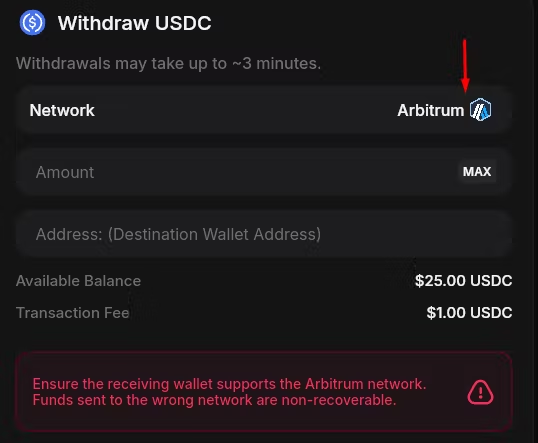
If you don’t have a wallet that can receive it, Gate.io or MEXC are options. Both offer USDC wallets on the Arbitrum blockchain.
Let’s go through the entire process now.
Step 1: Copy Your Receiving Wallet Address
To receive funds from the Invo app, you need to copy your receiving wallet address. Depending on the crypto exchange or wallet you’re using, go to Wallet → Deposit → USDC, select Arbitrum One (ARB) as the network, and copy the deposit address.
How to Copy Your Receiving USDC Address on MEXC
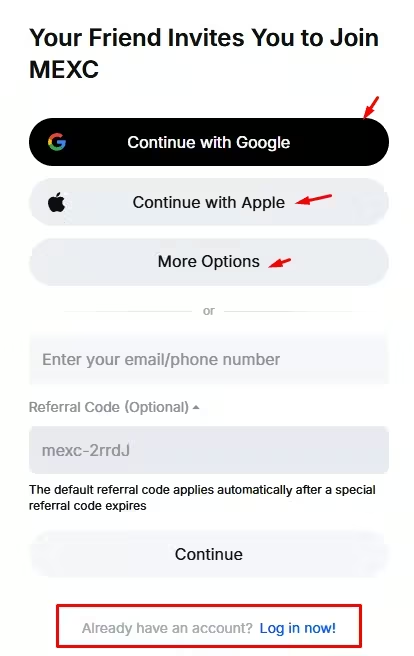
MEXC offers the features we need. You can sign up here using Google, Apple, email, or another available option, or log in to your existing account.

- Go to Mexc.co and sign up/sign in
- Click on Deposit.

- Click on Onchain Deposit.

- Type USDC in the search bar and select it.

- Select Arbitrum One (ARB) as the network.

- Copy your deposit address.
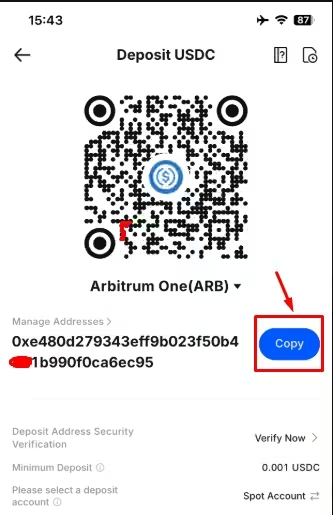
That’s all!
Before returning to the Invo app, let’s see how to do the same thing on Gate.io.
How to Copy Your Receiving USDC Address on Gate.io
Log in to your Gate.io account or sign up here.
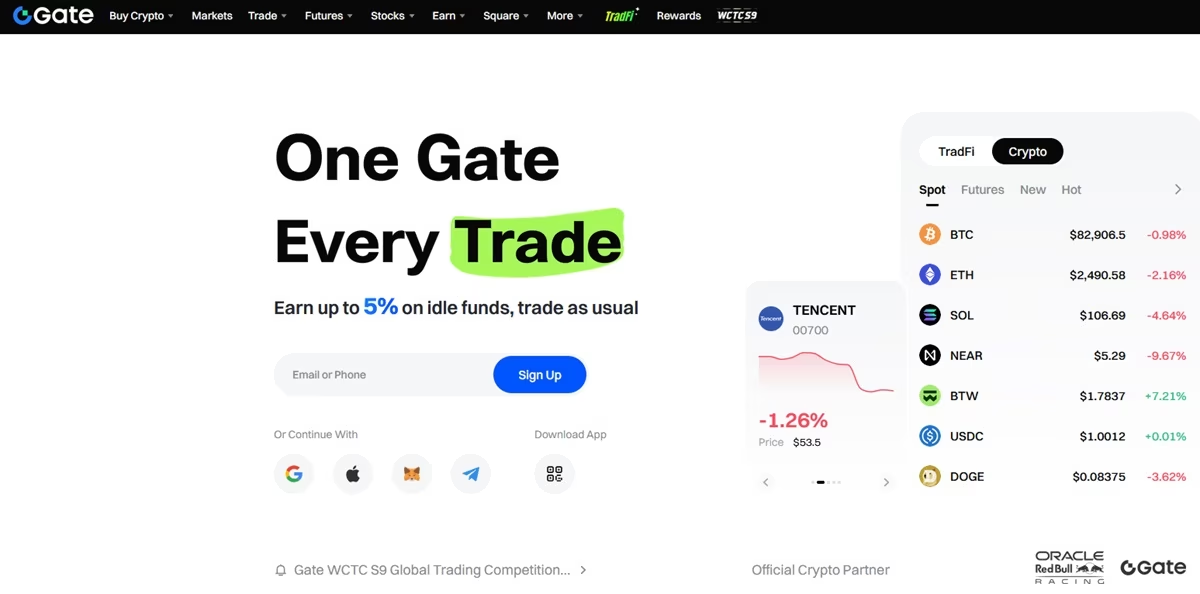
- Click on Deposit.

- Click on “deposit crypto from other exchanges”.

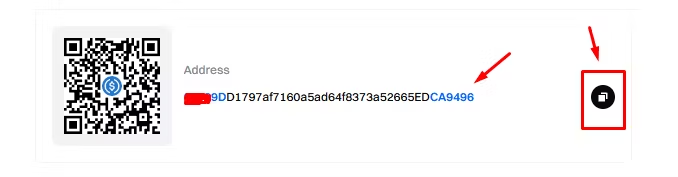
- Select coin “USDC”, and select network., Arbitrium.

- Copy the address
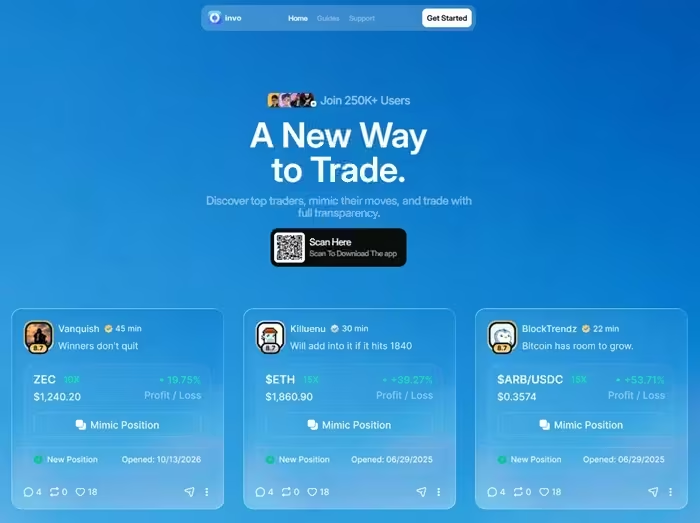
Step 2. Login to your Invo Account
You can do that using the mobile app or on their website or your mobile Invo app.
Step 3. Go to “Wallet” and click on “More”

Step 4. Click on Withdraw Funds (USDC)
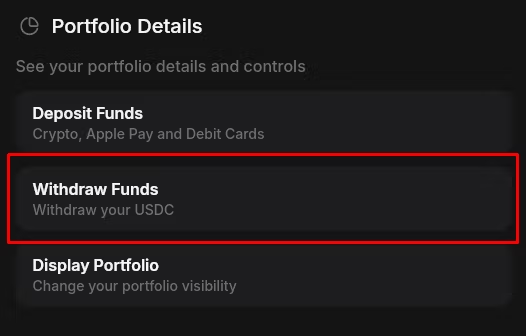
Enter the amount you want to withdraw and the wallet address you copied from either Gate.io or MEXC. You can use whichever platform you prefer.
Step 6: Click on “Withdraw”
Make sure you’ve entered the correct details and selected USDC on the Arbitrum network. Once you’ve confirmed everything, click on Withdraw Funds.
- Enter the withdrawal verification code sent to your email.

- Your withdrawal will be confirmed once you enter the code.

Step 7: Receive Your Funds in Your Wallet
The funds have now arrived in my Gate.io wallet.

That is all about it. How to withdraw money and your trading earnings from the Involio app.
Ready to get on with it?
Sign up or sign in to your Involio app and get started.
How to withdraw Involio referral rewards
Your referral rewards and other reward earnings are added to your balance and become claimable once they reach $10. After you claim your rewards, they are credited to your Involio trading wallet.
The withdrawal process is the same because the claimed rewards are added to your main balance.
To check your rewards:
- Sign in to your Involio account.
- Open the reward/referral section of your dashboard.
- Check your accumulated rewards and current claimable balance.
- If your balance meets the threshold, use the claim option shown in the account.
- Confirm that the reward has arrived in your trading wallet.
- Check the withdrawal options available for that balance.
The $10 threshold is the published minimum for claiming referral rewards. Do not assume it is the minimum for withdrawing every type of balance.
Can you withdraw referral rewards directly to a bank account?
Unlike with the Fomo app you do it, with Invo, No, you cannot. The only withdrawal option is USDC on the Arbitrum blockchain network.
Involio withdrawal fees
Involio charges $1 per withdrawal. As you can see from our example, I withdrew $30 in USDC and received $29 in my account.
How long do Involio withdrawals take?
Withdrawals take approximately 3 minutes to reflect on the Arbitrum network.
Why is my Involio withdrawal not working?
Here are possible reasons:
- Your money is tied up in an open position
Funds committed to a trade may not be available to withdraw immediately. Check your available balance and position details. Closing a position can realize a gain or loss, so do not close it automatically just to access funds.
- You have not met the reward requirements
Referral and monetization rewards may not have reached the claim thresholds of $10 and other eligibility requirements.
- You selected an unsupported asset or network
For a crypto transfer, make sure the destination supports the exact asset and network. Sending an asset through an incompatible network can result in permanent loss.
- The transaction is still pending
If the app shows a pending status, save the reference and check the transaction’s current state. Avoid repeatedly submitting the same withdrawal until you understand what happened to the original request.
How to contact Involio support about a withdrawal
Start with the support link available through the official website or app. Explain whether the issue concerns trading funds, referral rewards, or another balance.
Include the transaction reference, the error message, and relevant dates. Never send your password, private key, wallet recovery phrase, or one-time verification code to someone claiming to be support.
Be cautious of anyone who asks you to pay an unofficial “unlocking fee” to release a withdrawal.
Alternatively, you can message them on Instagram or Twitter (X).
Best Memecoin Trading Platforms: 13 Apps & Sites Compared