Best Memecoin Paper Trading Extension

11 Best Memecoin Paper Trading Platforms & Extensions (2026)

Published Nov 5, 2026
Reading Time 43 min read
Written By CrackedSol CrackedSol
Content Strategy CS Editorial Policy

Choosing the Best Memecoin Paper Trading Platforms Summary

The best memecoin paper trading platform is one that lets you practise trading with virtual funds, test different strategies, and understand how your trades would perform without risking real cryptocurrency.

  • For practising memecoin trading directly inside Axiom.Trade using familiar trading controls and fee-aware simulated trades: Go for PaperFills.

  • For a free, multi-chain paper trading extension that supports 14 trading terminals, including Axiom, GMGN, FOMO, Padre, and Photon: Go for DryFlip.

  • For Solana memecoin paper trading with virtual SOL, simulated slippage, fee modelling, trading leaderboards, and educational resources: Go for PaperApe.

  • For social paper trading, tracking friends’ simulated trades, sharing trading activity, and monitoring your portfolio across Axiom, GMGN, and Padre: Go for Simora.

  • For a free, multi-terminal Solana paper trading simulator with a standalone web terminal, browser extensions, configurable fees, and slippage settings: Go for GoPaper.

  • For practising on Axiom Pro with multiple demo profiles, simulated trading, trailing stops, and advanced trading strategy analytics: Go for Aped.

  • For multi-chain paper trading across Solana, BNB Chain, and Robinhood Chain, with portfolio analytics, trade history, and chart markers: Go for MockApe.

  • For a more advanced paper trading experience with trade journaling, behavioural analysis, personal trading rules, session debriefs, and an AI trading coach: Go for Tracer.

  • For multi-chain paper trading across SOL, BNB, and ETH, with simulated execution, fee calculations, and a network-level transaction-blocking mechanism: Consider PaperTrench. Note that it requires a paid licence.

  • For an independent Axiom-specific paper trading extension with automatic token detection, portfolio tracking, and simulated P&L: Consider Axiom Paper Trader, but investigate its developer and security details before installation.

  • For a free, open-source paper trading extension that works locally with Axiom, GMGN, and Padre without connecting a wallet or API key: Consider Paper Trader by AgentLouie. It requires manual installation and some technical knowledge.

What if you could practise buying and selling memecoins on Axiom, GMGN, Photon, and other top memecoin trading platforms without risking your actual SOL?

You could find a promising token, simulate your entry, set a take-profit target, and watch what happens. If the token pumps, you can practise taking profits. If it rugs, you can study what went wrong without losing your trading capital.

That’s the idea behind memecoin paper trading.

Unlike traditional crypto demo accounts offered by exchanges like Binance, Bybit, and a trading tool like TradingView, some newer tools are designed specifically for memecoin traders. They add simulated Buy and Sell controls directly to existing trading terminals, allowing you to practise with virtual SOL, monitor simulated profits and losses, and review your trading history.

There are also standalone paper trading platforms that provide their own virtual wallets, token discovery features, charts, and trading dashboards.

In this guide, we’ll compare 12 memecoin paper trading tools, including browser extensions, standalone simulators, and experimental projects. We’ll also explain which ones are worth investigating for Axiom, GMGN, Solana, and BNB Chain trading.

Research note: This is a comparison based on publicly available product descriptions, documentation, and extension listings reviewed on November 3, 2026. We have not independently executed trades on every tool. Features, availability, and platform support can change.

What Is Memecoin Paper Trading?

Memecoin paper trading is the process of simulating cryptocurrency trades using virtual funds instead of real money.

A paper trading platform gives you a virtual balance that you can use to practise buying and selling tokens. It may use live market prices to estimate how your trades would have performed.

For example, suppose you want to buy a newly launched Solana memecoin using 1 SOL.

Instead of connecting your wallet and spending real SOL, you open a paper trading simulator and place a virtual buy order.

The simulator records your entry price, tracks the token’s price movement, and calculates your simulated profit or loss when you sell.
memecoin paper trading extension

You can repeat the process with different tokens, position sizes, and exit strategies.

The goal is to practise:

  • Finding potential trading opportunities.
  • Timing entries and exits.
  • Setting take-profit and stop-loss levels.
  • Managing position sizes.
  • Testing different trading strategies.
  • Reviewing your wins and losses.

Paper Trading vs. Real Live Trading

Paper trading is especially useful for beginners learning how memecoin trading terminals work. Experienced traders can also use it to test new strategies.

However, virtual trading is not identical to live trading because real transactions can involve slippage, price impact, failed execution, network fees, and liquidity problems that a simulator may not accurately reproduce.

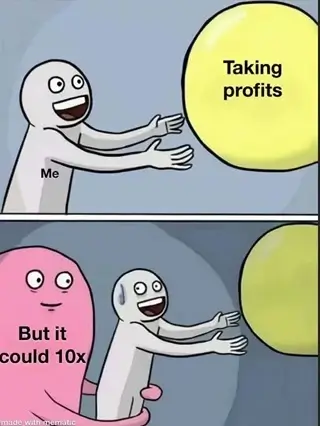
There’s also the psychological side of trading. The emotions involved in bad decisions may not be as intense in simulated trades as when real money is at stake.
fake memecoin chart meme

For instance, after a series of losses, you may not experience the same urge or frustration to get rid of a trade when you’re using virtual funds.

Paper Trading Examples: How It Works

Let’s look at three practical examples.

Example 1: Testing a Breakout Strategy

Imagine a Solana memecoin is trading at a market price of $100,000.

You believe the token could move higher if it breaks above resistance.

Instead of buying with real SOL, you create a simulated position worth $100.

Trade detail Example
Entry market price $100,000
Virtual position value $100
Exit market price $130,000
Price increase 30%
Estimated virtual profit $30

The simulator shows a 30% gain, equivalent to $30 on a $100 virtual position, before fees and execution differences.

This helps you practise identifying a breakout and following your exit plan.

It does not mean you would necessarily have made $30 in a real transaction.

Example 2: Testing a Stop-Loss Strategy

Suppose you enter a token at a market price of $200,000 with a virtual position worth $100.

Your plan is to exit if the token drops by 10%.

The token subsequently falls to $180,000.

Trade detail Example
Entry market price $200,000
Virtual position value $100
Planned stop-loss -10%
Exit market price $180,000
Estimated virtual loss $10

This example helps you practise following a loss limit rather than holding a losing position indefinitely.

In real trading, the final result may differ because of execution price, liquidity, and other costs.

Example 3: Testing a Partial-Profit Strategy

Suppose you buy a memecoin at a market price of $500,000 with a virtual position worth $100.

The token rises by 50%.

Instead of selling everything, you decide to sell half your position and let the remaining half run.

Trade detail Example
Initial virtual position $100
Price increase 50%
Value after price increase $150
Amount sold 50% of position
Value sold $75
Value remaining $75

You have sold half of the position at the higher price and retained the other half.

The remaining position is still exposed to market movements and could lose value.

For core memecoin trading strategies, check out our guide to narrative trading here.

Let’s start with the somewhat known ones.

Getting Ready: Requirements for Using Paper Trading Platforms

Most paper trading sites and platforms integrate with popular memecoin trading terminals and support selected blockchain networks.

For popular platforms, you’ll need to create an account before getting started, if you haven’t already.

Below, we’ve listed the integrated trading terminals, along with relevant discount links, referral codes, and trading fee waivers you can use during registration to save on future trades.

📌 Get started on Axiom.Trade (Get 10% off on all trades)

📌 Get started on Fomo.Family (Get 10% off on all trades)

📌 Get started on Terminal.Padre (Get up to 35% cashback on all trades)

📌 Get started on Gmgn.ai (Get advanced features)

📌 Get started on Photon-sol (start for free)

Platform Offerings Spot fees Chains Best for
Fomo Social discovery, trader profiles, token trading and alerts 0.5% Spot
0.05% Perps
7 Social-first and beginner trading
Velvet Crypto portfolio management, DeFi strategies and token exposure 0.5% Spot
0.1% Perps
11 Social, beginner, portfolio and DeFi strategy management
Axiom Token discovery, wallet tracking, trading tools and Bundle Checker 0.75%-0.95% Spot
0.01% Perps
8 Advanced on-chain research
MEVX Multi-chain DEX trading, sniping, copy trading, limit orders, multi-wallet support and demo mode 0.7%-0.9% Spot 12 Memecoin discovery and trading across multiple chains
Terminal Multi-chain trading, limit orders, wallet tracking and exit tools 1% Spot 4 Active multi-chain traders
GMGN Smart-money tracking, wallet analytics and copy trading 1% Spot
0.045%-0.015% Perps
12 Advanced wallet and smart-money research
Photon Fast token discovery, quick buys/sells and trading presets 1% per trade 1 Solana-focused trading
Maestro Bots Sniping, copy trading, signals, limit orders and multi-wallet tools 1% per trade 12 Advanced bot-based trading
Based Bot Telegram trading bot, automated orders, wallet tracking and rewards 1% per trade 19 Web and bot-based trading
Trojan Telegram/web trading, trading tools and reward programs 1% per trade 1 Web and bot-based trading
MEXC Centralized spot trading and listed memecoins 0%-0.020% Spot
0%-0.05% Perps
6 Memecoin trading with lower fees
Gate Centralized exchange and on-chain token trading products 0.1%-0.2% Spot
0.015%-0.02% Perps
5+ Multiple memecoin listings on a CEX
o1.exchange Spot, limit and sniper orders, TWAP, token discovery, multi-wallet management and real-time analytics 1% Spot
0.010% Perps
11 Multichain terminal and launchpad with token discovery and cashback

Memecoin Paper Trading Extensions

These are browser-based memecoin paper trading extensions available for Chrome, Mozilla Firefox, and Microsoft Edge. Let’s take a look at some of them.


1. PaperFills – trade real sol markets

Website: PaperFills.com

Type: Chrome extension

Primary focus: Paper trading directly inside Axiom.Trade

Access: Free

Blockchains: Sol.

Supported Trading Terminals: Works primarily with Axiom Trade.

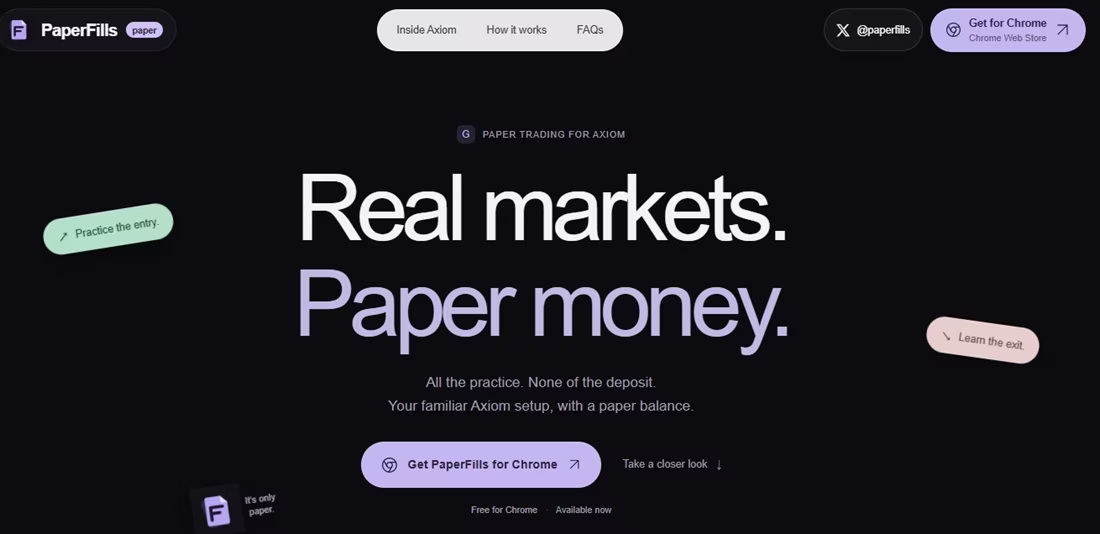
PaperFills is a paper trading extension built specifically around the Axiom trading interface.
paperfill paper trading platform for memecoins

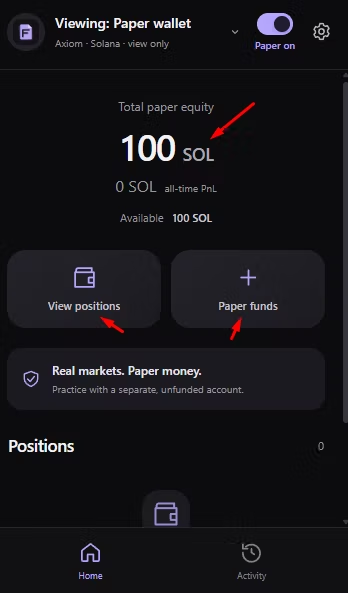
Instead of opening a separate simulator, it adds a virtual trading account to your familiar Axiom setup.

With it, you can practice buying and selling using the existing interface while keeping your practice funds separate from your real wallet.

One interesting feature is its emphasis on counting trading costs. PaperFills allows accounting for Axiom fees, token taxes, priority fees, and bribes in simulated fills.
paperflip paper trading site

This is important because a simulator that ignores trading costs can make a strategy look more profitable than it would be in real trading.

Main Features

  • Simulated SOL balance.
  • Paper buying and selling through supported Axiom controls.
  • Multiple paper wallets.
  • Fee calculations on simulated trades.
  • Instant Trade and Pulse quick-buy support.
  • Percentage-based exits.
  • Buy and sell chart markers.
  • Trading history and simulated P&L.

How To Use Paperfills

1. Visit the official PaperFills website at paperfills.com

2. Follow the link to its Chrome Web Store listing.

3. Install the extension.

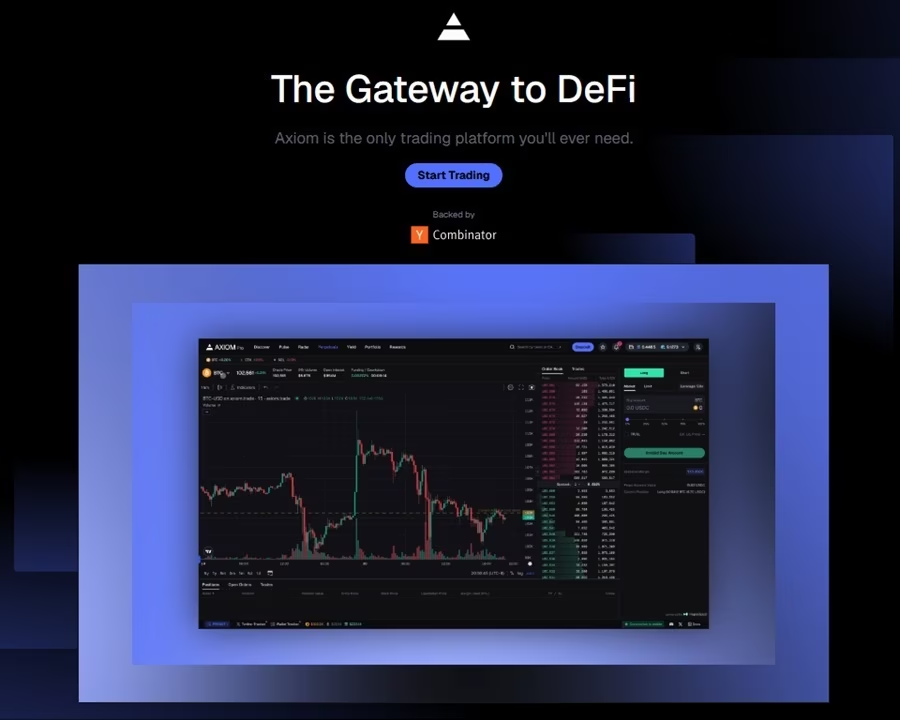
4. Open Axiom.Trade (Create an account or sign in)
axiom trade trading memecoin website

5. Refresh the Axiom page.

6. Open PaperFills and confirm that paper mode is active.

7. Check that the trading controls display the PAPER label.

8. Start practising with virtual SOL.
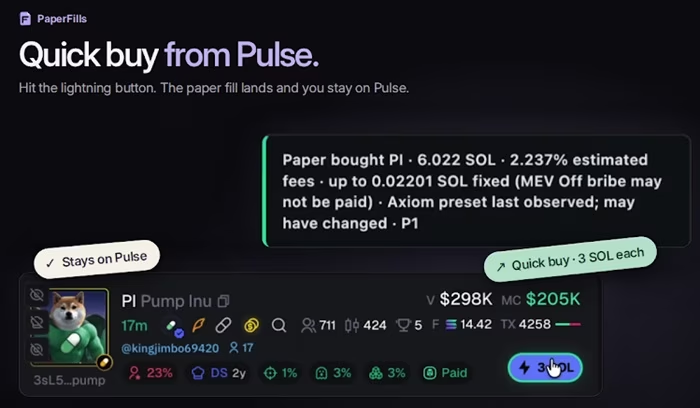
paperflip Solana paper trading

Does PaperFills Use Real Money?

No. It makes use of virtual SOL and simulated trades rather than real blockchain transactions.

Recommendation: You can use your main account if it’s not funded, or a separate unfunded Axiom account for practice.

Verdict: PaperFills is worth investigating if you mainly trade through Axiom and want to practise using familiar trading controls. Its fee-aware simulation is particularly relevant when evaluating the profitability of frequent entries and exits.

📌 Also: Axiom Trade Referral Code (get 10% off all trading fees).

2. DryFlip – Paper Trading Simulator with multiple Extension platforms 

Website: DryFlip.com

Type: Extensions – Chrome, Mozilla, and Edge browsers.

Primary focus: Practising memecoin trading across multiple terminals.

Access: Free

Blockchains: 4- Solana, BNB Chain, Robinhood Chain, and Arch tokens.

Supported Trading Terminals: 14 – Axiom, GMGN, Terminal (Padre), Trojan, Fomo, Telemetry, Photon, Jupiter, Azura, Definitive, Shotgun, Solpump, Cielo, and DEX Screener.

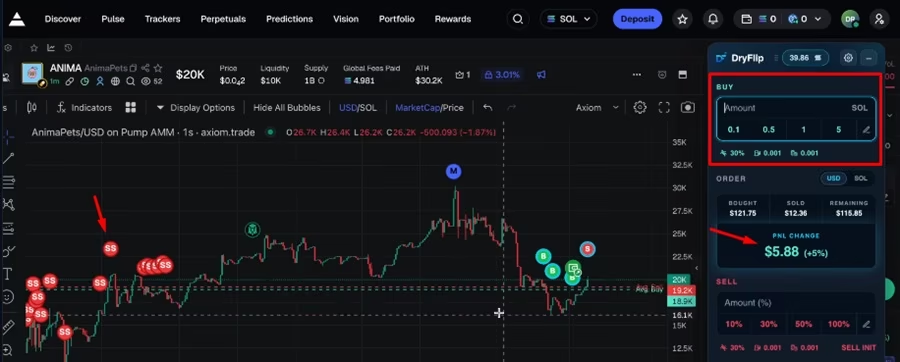
DryFlip is a free browser-based memecoin trading simulator that lets you practise buying and selling tokens at live market prices using virtual money, without risking real funds.
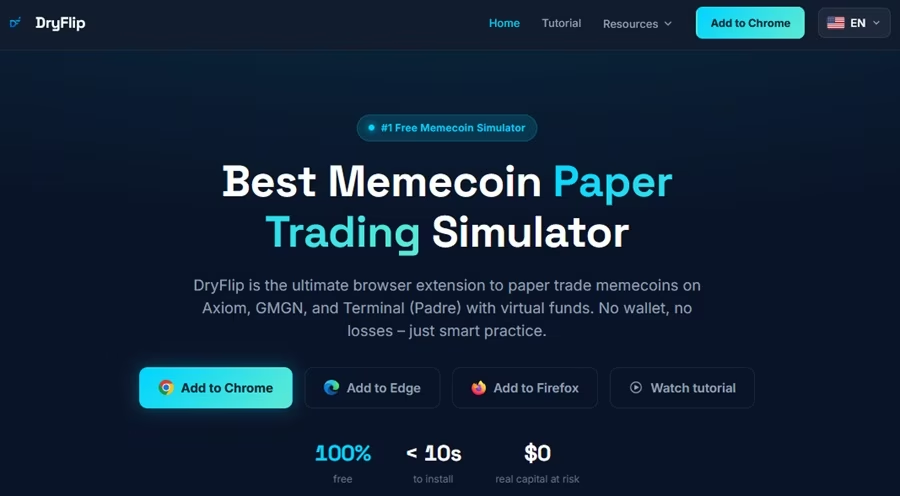
dryflip memecoin paper trading

It works across popular trading platforms like Axiom, GMGN, and Fomo App, supports multiple blockchains, and offers trading tools such as Take Profit, Stop Loss, Limit Buy, and DCA.

You can also track your performance through trade journals, PnL analytics, calendars, and CSV exports.

In short: DryFlip lets you practise, test strategies, and experience memecoin trading risk-free, with no wallet connection, deposits, or private keys required.

Main features

  • Virtual trading balance.
  • Simulated buying and selling.
  • Solana and BNB memecoin practice.
  • Live market price information.
  • Take-profit and stop-loss controls.
  • Limit buys.
  • Partial sells.
  • On-chart entry and exit markers.
  • Average buy and sell price lines.
  • Portfolio tracking.
  • Trading history.
  • Win-rate and P&L statistics.
  • Monthly P&L calendar.

How to use DryFlip

1. Visit DryFlip.com.

2. Choose your browser extension installation link – Chrome, Mozilla, or Edge.

3. Install the extension.

Paper Trading extention

4. Open a supported trading terminal.

5. Navigate to a token page.

6. Use the DryFlip overlay to place simulated trades.

memecoin paper trading extension

 7. Review your virtual portfolio and P&L.

Uniqueness: Supports multiple browser extensions and trading terminals.

Verdict: DryFlip is one of the more versatile choices to investigate if you move between Axiom, GMGN, Padre, Photon, and other supported platforms. Its broad integration list and portfolio features make it a useful candidate for multi-terminal practice.

3. PaperApe – trade any Solana token with advanced mechanics

Website: PaperApe.fun

Type: Web-based and Chrome extension

Primary focus: Solana memecoin paper trading across multiple trading terminals.

Access: Free

Supported Blockchains: Solana

Supported Trading Terminals: 5 – BullX, Photon, Padre, Axiom, and GMGN

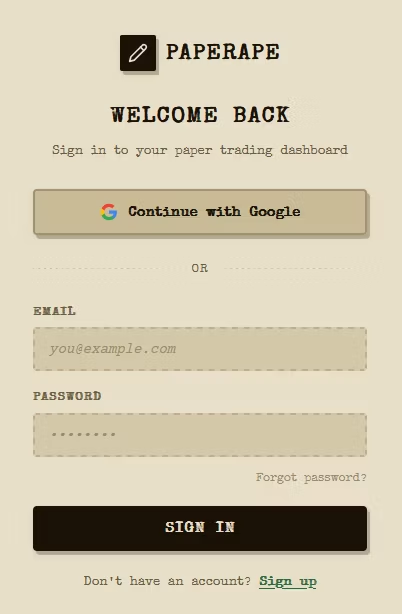
PaperApe is a Solana memecoin trading simulator that lets users practise buying and selling tokens using virtual SOL instead of real cryptocurrency.
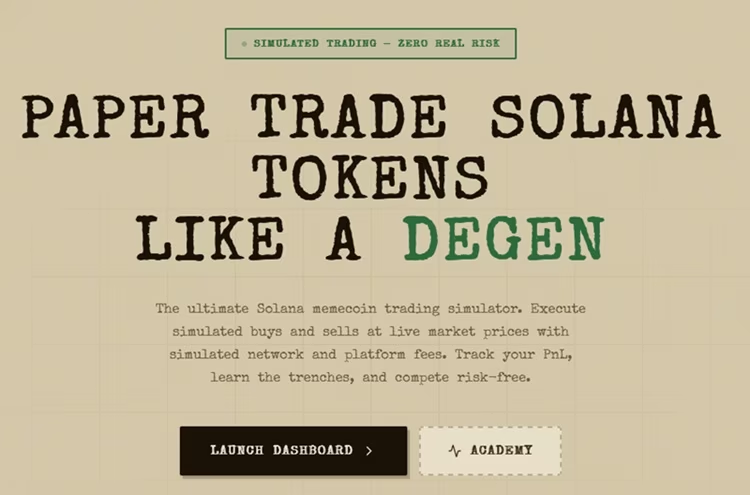
paper trade memecoin paper trading extension

The platform advertises a starting balance of 100 simulated SOL, live token prices, simulated slippage, and on-chain fee modelling. It also offers a leaderboard where users can compare their paper-trading performance.

One interesting feature is that PaperApe works both as a standalone platform and within familiar memecoin trading terminals.

Main features:

  • 100 virtual SOL starting balance.
  • Simulated buys and sells using live token prices.
  • Slippage modelling based on pool liquidity.
  • Priority fee and network congestion modelling.
  • Simulated P&L tracking.
  • Sell Initial / Moon Bags functionality.
  • Weekly and monthly trading leaderboards.
  • Educational lessons covering honeypots, rug pulls, sandwich attacks, and phishing.
  • Chrome extension integration with BullX, Axiom, Photon, Padre, and GMGN.

How to get started with PaperApe

1. Visit PaperApe.fun.

2. Select the option to create a free account.

3. Follow the account setup instructions.

4. Access your virtual SOL balance.

5. Find a supported Solana token and practise simulated buys and sells.

6. Track your positions and performance through the dashboard.
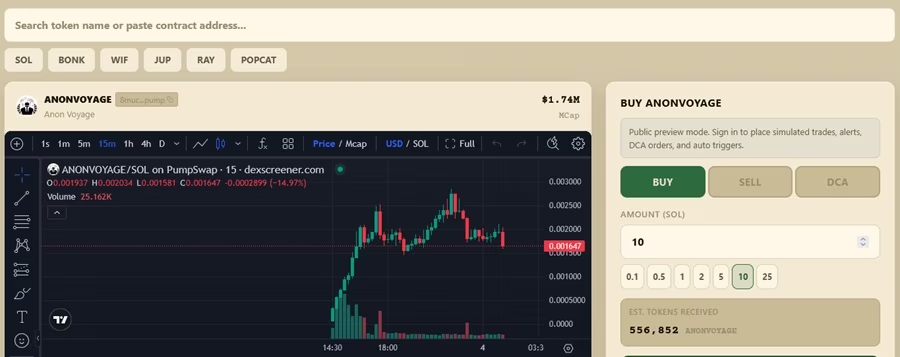
paper trading examples

Uniqueness: PaperApe says registration does not require KYC, a deposit, or a credit card. Its website also advertises a Chrome extension for paper trading directly inside supported terminals.

Recommendation: The web-based version is easier to get started with than the Chrome extension, as the latter may require you to run npm run build from the repository root. The Chrome-ready extension is generated in apps/extension.
paperape paper trading

Verdict: PaperApe is worth investigating if you want a Solana-focused simulator with a standalone dashboard, virtual SOL, trading performance tracking, and integrations with popular memecoin terminals. Its simulated fee and slippage features are particularly relevant for traders who want to practise under conditions closer to live trading.

4. Simora – Track Friends’ Trades and Share Progress

Website: SimoraLabs.com

Type: Chrome extension

Access: Free

 Blockchains: Solana, Robinhood, and BNB memecoin paper trading.

Supported Trading Terminals: 3 – Axiom, GMGN, and Terminal.

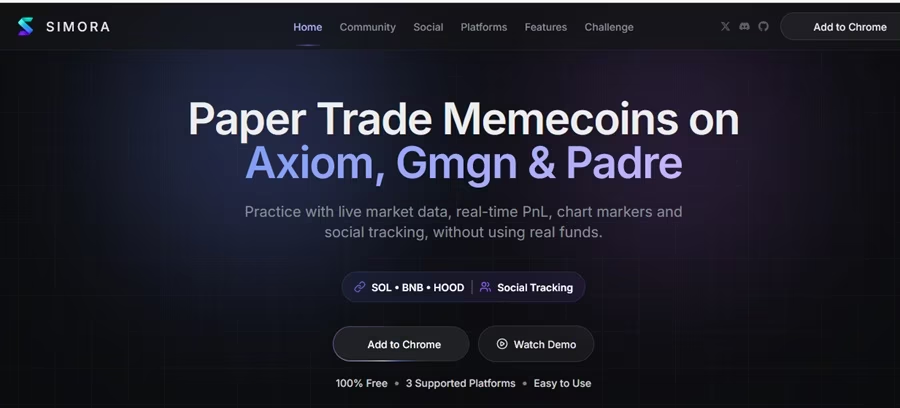
Simora is a memecoin paper trading Chrome extension designed to let users simulate trades directly on supported trading terminals.
simora memecoin paper trading extension

It focuses on practising entries and exits while tracking virtual positions and trading performance.

Main features

  • Virtual trading balances.
  • Simulated buys and sells.
  • Axiom integration.
  • GMGN integration.
  • Padre integration.
  • Dynamic P&L tracking.
  • Quick-buy simulation.
  • Portfolio calendar.
  • Chart trade markers.
  • Social paper trading features.
  • Shared trading activity.
  • Local browser data storage.

How to use Simora

1. Visit SimoraLabs.com.

2. Follow the Chrome installation link.

3. Install the extension.

4. Open Axiom, GMGN, or Padre.

5. Navigate to a supported token page.

6. Start using the simulated trading panel.
simora paper trading

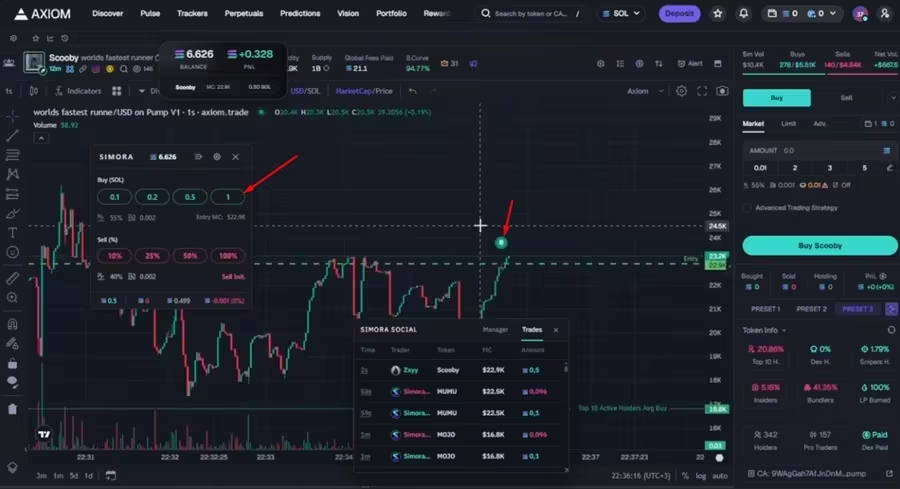
Selling Point: You can easily follow friends and review shared paper trading activity. This adds a social element to the simulator, allowing users to compare practice results rather than simply tracking their own trades.

Verdict: Simora is worth investigating if you want a free extension that supports several familiar memecoin terminals. Its social tracking and portfolio calendar are additional features to consider.

5. GoPaper – the real-market paper money platform

Website: GoPaper.trade

Type: Web terminal and browser extensions -Chrome, Mozilla, and Edge.

Primary focus: Solana memecoin paper trading across multiple platforms.

Access: Free

Supported Blockchains: Solana.

Trading Terminals Integration: 15 – Fomo, Axiom, GMGN, Terminal, Photon, Trojan, Telemetry, Jupiter, Azura, Definitive, Shotgun, Trenchers, Cielo, DEX Screener, and Pump.fun.

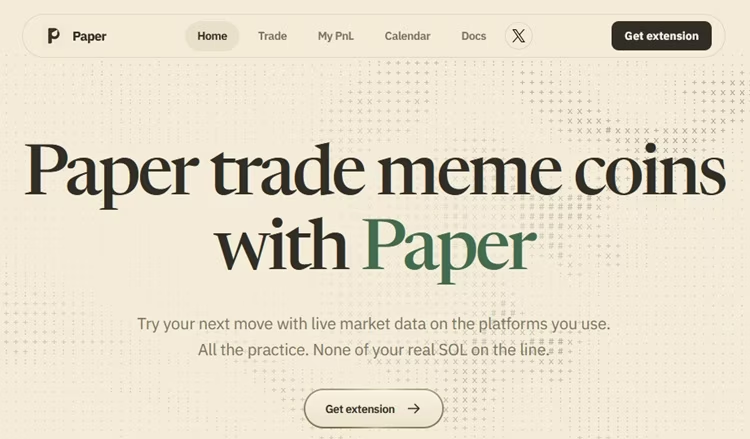
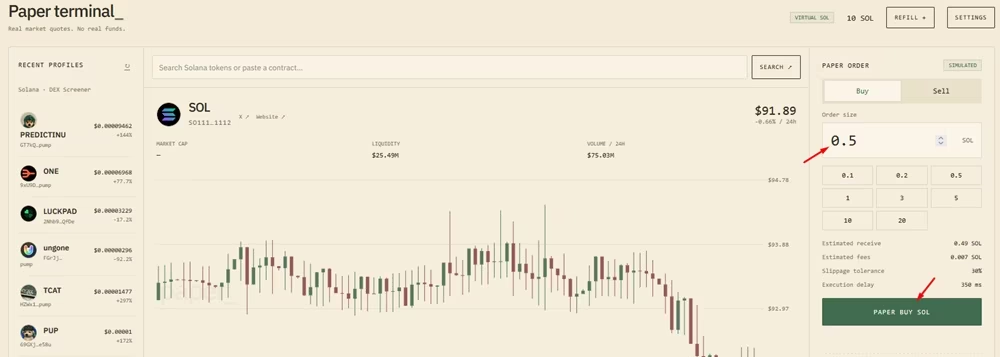
GoPaper is a versatile paper trading terminal and browser extension for practising Solana token trading.
solana memecoin paper trading extension

Rather than relying on only one trading platform, GoPaper supports multiple token pages and terminals with unified paper fills and Market data.

Main features

  • Virtual SOL balance.
  • Simulated buying and selling.
  • Live market quotes.
  • Browser extension.
  • Standalone web terminal.
  • Trading history.
  • Portfolio tracking.
  • Journal and calendar.
  • Configurable fees and slippage.
  • Execution-delay settings.

How to Get Started

1. Install the latest Paper extension.

2. Open Paper from your browser toolbar.

3. In Settings, select Connect Website and approve the website.

4. Start trading
paper terminal memecoin paper trading platform

 5. Monitor your PnL and progress.

Uniqueness: multiple integrations and its the ability to use its web terminal without installing the browser extension on your mobile through the web terminal.

Verdict: Paper is worth considering if you want a standalone simulator that also integrates with multiple memecoin trading platforms. Its web terminal is particularly useful if you do not want to install an extension.

6. Sol-Aped

Website: Sol-Aped.com

Type: Chrome extension and Telegram

Primary focus: Solana memecoin paper trading on Axiom Pro.

Access: Free

Blockchains: Solana

Supported Trading Terminals: Axiom Trade.

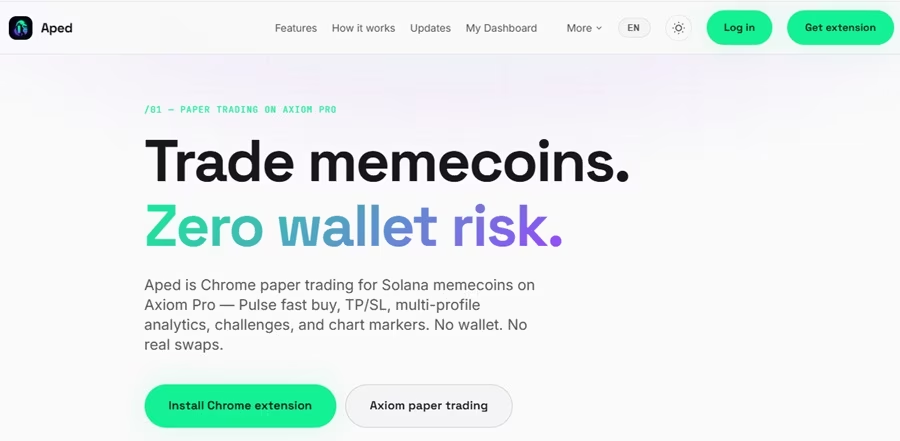
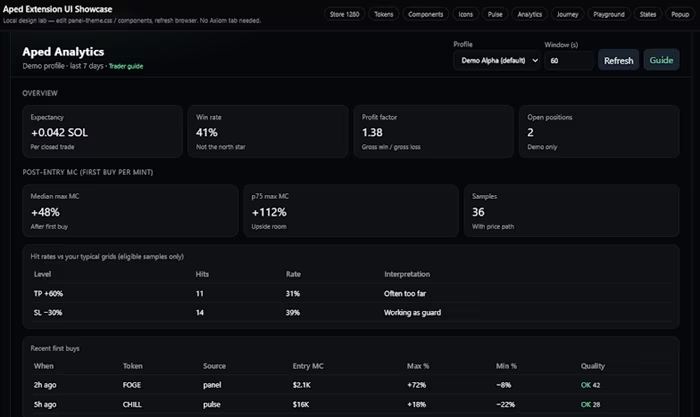
Designed to let traders practise Solana memecoin trading directly on Axiom Pro, Aped’s main attraction is the combination of simulated trading and performance analysis.
aped memecoin paper trading extension

That is, instead of simply showing whether a virtual position made money, it provides features that help you examine your entries, exits, and trading strategies.

Main Features

  • Virtual SOL balances.
  • Multiple demo profiles.
  • Pulse fast-buy simulation.
  • Take-profit and stop-loss controls.
  • Market-cap limit orders.
  • Trailing stops.
  • Chart entry and exit markers.
  • Trading strategy analytics.
  • Post-entry market-cap analysis.
  • Performance challenges.
  • Cloud-synchronised demo portfolios.

How To Use Aped

1. Visit Sol-Aped.com.

2. Follow its Chrome extension installation instructions.

3. Install the extension from its linked source.

4. Open the extension and follow the Telegram login process.

5. Open Axiom Pro (Sign up/Sign in)
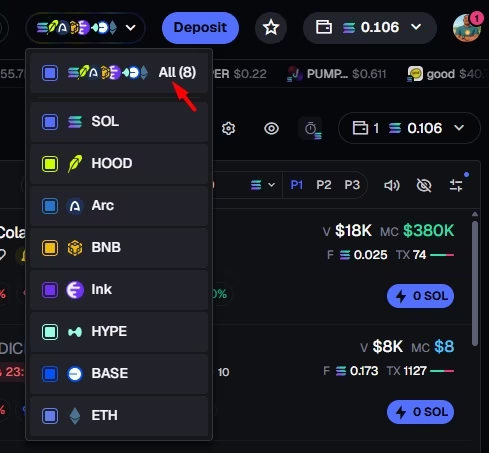
axiom trade supported chains

6. Select your demo profile.

7. Start practising with virtual SOL.
Solana paper trading simulator

Uniqueness: One interesting feature is its multiple demo profiles.

For example, you could use one profile to test a breakout strategy and another to practise buying pullbacks. Keeping the results separate makes it easier to compare the approaches.

Getting Started After Adding the Chrome Extension: Kindly note that Aped uses Telegram login to synchronise demo portfolios and does not require a real wallet connection.
apes paper trading on telegram

Is Aped free?

Yes, it currently advertises free access, although it notes that paid tiers may be introduced in the future.

Verdict: Aped is worth considering if you use Axiom Pro and want more than a basic virtual Buy and Sell interface. Its multiple profiles, challenges, and strategy analytics make it interesting for structured practice.

Freemium Paper Trading Platforms

These are platforms that require payment to access their advanced paper trading features and tools.

7. MockApe – Paper Trade with Realistic Settings

Website: mockape.com

Type: Browser extension.

Supported chains: Solana, BNB Chain, and Robinhood Chain

Access: Freemium (Free & Paid)

Supported trading platforms: 3 – Axiom, GMGN, and Padre

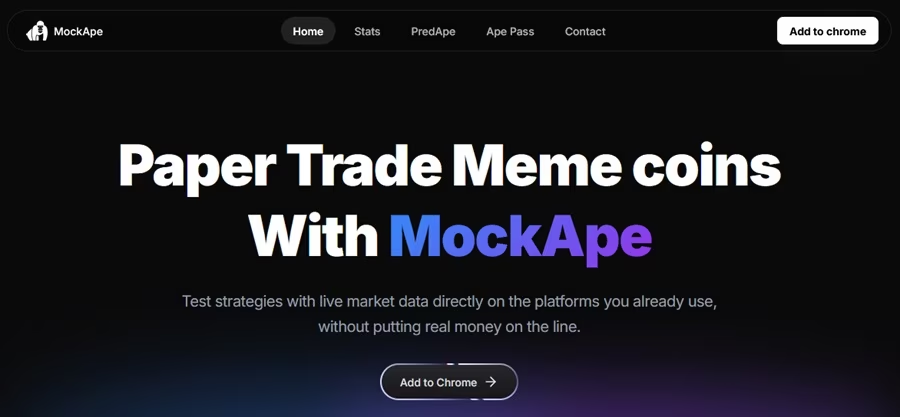
MockApe is a browser extension that allows traders to practise buying and selling memecoins using virtual funds and live market data. Instead of opening a separate trading simulator, you can use it directly alongside supported trading platforms.
mockape memecoin trading simulator

The extension provides a simulated trading interface with buy and sell controls, portfolio tracking, trade history, and performance analytics.

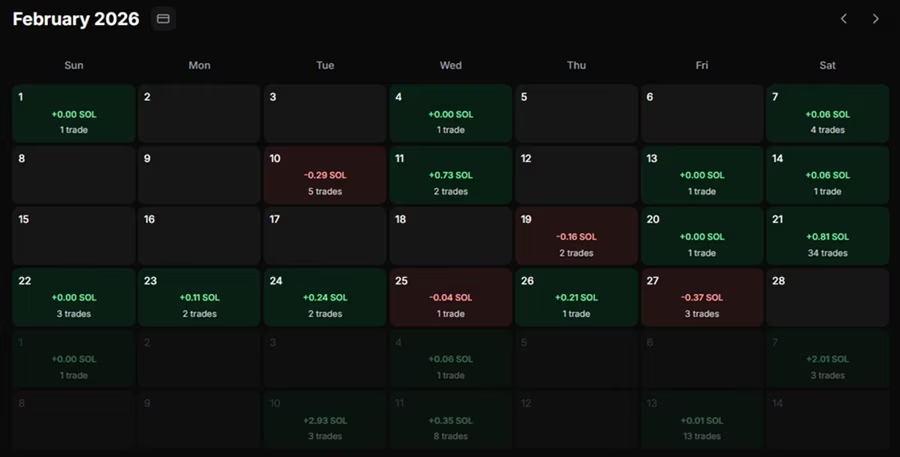
It also includes chart markers that show where you entered and exited trades, helping you review your decisions and understand your trading performance.
memecoin trading simulator

Key features include:

  • Multi-chain paper trading: Practise trading memecoins on Solana, BNB Chain, and Robinhood Chain.
  • Trading platform integration: Works with Axiom, GMGN, and Padre.
  • Virtual trading balance: Simulate buys and sells without depositing real cryptocurrency.
  • Portfolio analytics: Monitor simulated profits and losses, trading history, and performance.
  • Chart markers: View your simulated entry and exit points directly on trading charts.
  • Customisable trading settings: Adjust simulation settings to test different trading conditions.
  • Quick Buy: Access faster simulated buying through the extension.
  • PNL calendar: Review your trading activity and performance over time.

Pricing: MockApe offers a free version, with an optional paid upgrade called Ape Pass for additional features such as chart markers, custom PNL cards, and Quick Buy. Ape Pass has monthly and lifetime payment options.

Even with the paid plan, it’s worth noting that simulated results will not perfectly replicate live trading. They may also be unable to identify the underlying liquidity pool provider or calculate exact real-world fees.

Therefore, don’t treat simulated results as a guarantee of actual trading performance.

Verdict: MockApe is worth considering if you want a browser-based memecoin simulator that supports multiple chains. Its BNB Chain and Robinhood Chain support makes it particularly interesting for traders who want to practise beyond Solana. The portfolio analytics, trade history, and chart markers also make it useful for reviewing strategies.

8. Tracer – Learn to trade memecoins with zero risk

Website: trytracer.xyz

Type: Web and Browser extensions – Chrome, Mozilla, and Edge.  

Blockchains: Solana

Access: Currently free (might be freemium soon).

 Trading Platforms: 3 – Axiom, GMGN, and Padre

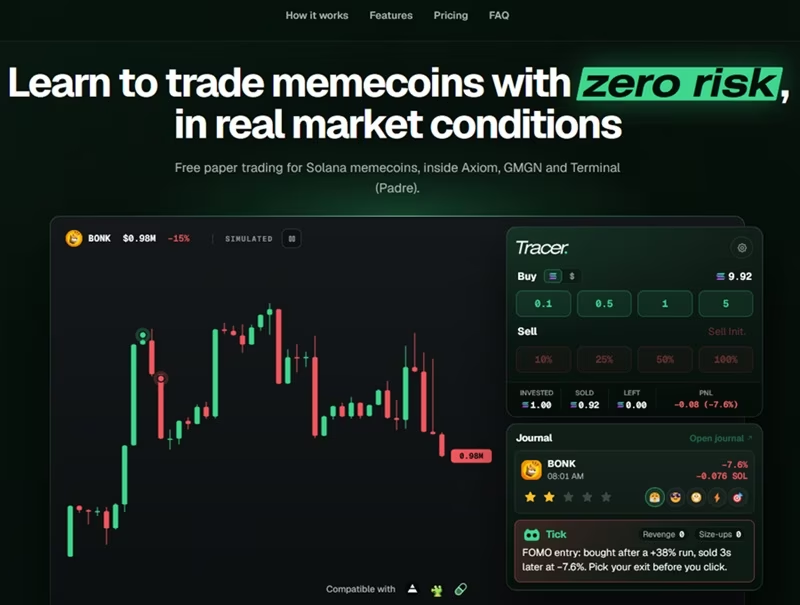
Tracer is a Solana memecoin paper-trading simulator that combines simulated trading with a trade journal and behavioural analysis. It allows traders to practise buying and selling memecoins directly inside their preferred trading terminals without connecting a wallet or risking real SOL.
tracer memecoin trading simulator

The extension starts users with 10 simulated SOL, which they can use to practise entries, exits, and different trading strategies. It also records simulated trades and allows users to review their decisions through Tracer’s online journal.

Supported trading platforms: 3 – Axiom, GMGN, and Padre Terminal

Key features include:

  • Multi-platform integration: Paper trade directly on Axiom, GMGN, and Padre Terminal.
  • Virtual SOL balance: Practise buying and selling with a shared simulated balance across supported platforms.
  • Take-profit and stop-loss orders: Set multiple take-profit levels, stop losses, limit buys, and dollar-cost averaging (DCA) orders.
  • Simulated trading conditions: Account for token buy and sell taxes, estimated price impact, slippage settings, priority fees, and execution delays.
  • Chart trade markers: View simulated entries and exits directly on token charts.
  • Trade journal: Record emotions, notes, ratings, and trading setups for individual trades.
  • Performance dashboard: Track P&L, win rate, equity curve, and trading activity through a calendar.
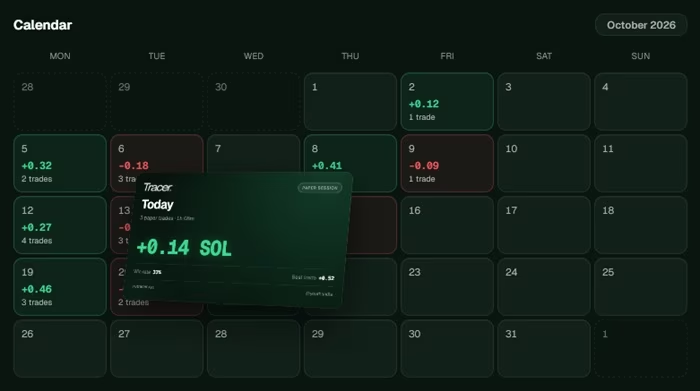
Solana paper trading pnl

  • Session debrief: Identify behavioural patterns such as revenge trading, increasing position sizes after losses, losing streaks, and fee bleed.
  • Personal trading rules: Set maximum position sizes, daily loss limits, trade limits, stop losses, and pauses after losing trades.
  • AI trading coach: Tick analyses your simulated trades and journal notes to help you review execution and discipline.

Selling Point: Beyond being a browser extension and paper trading simulator, it’s also a great place to find tools for journaling and documenting your trading journey.

Pricing: Tracer is currently in open beta and offers free access. The paper-trading widget works without a paid subscription or wallet. A free account unlocks the online journal, session debrief, and Tick AI coach, with up to 100 coach messages per month.

As already highlighted, even with advanced pricing tiers, its simulated execution cannot perfectly reproduce actual DEX trading, as price impact is estimated because the widget does not read the pool’s liquidity.

Its automated orders also monitor prices only while the relevant token page remains open.

Verdict: Tracer is more than a basic memecoin paper-trading extension. Its trade journal, session analysis, personal trading rules, and AI coach make it particularly useful for traders who want to understand not only whether a simulated trade was profitable but also how they executed it.

9. PaperTrench

Website: PaperTrench.com

Type: Chrome extension

Access: Requires a license

Supported Blockchains: 3 – SOL, BNB, and ETH.

Trading Terminals Integration: 4 – Axiom, Padre, Lute, and GmGn

PaperTrench is designed to provide a paper trading mode within Axiom and other memecoin trading interfaces.
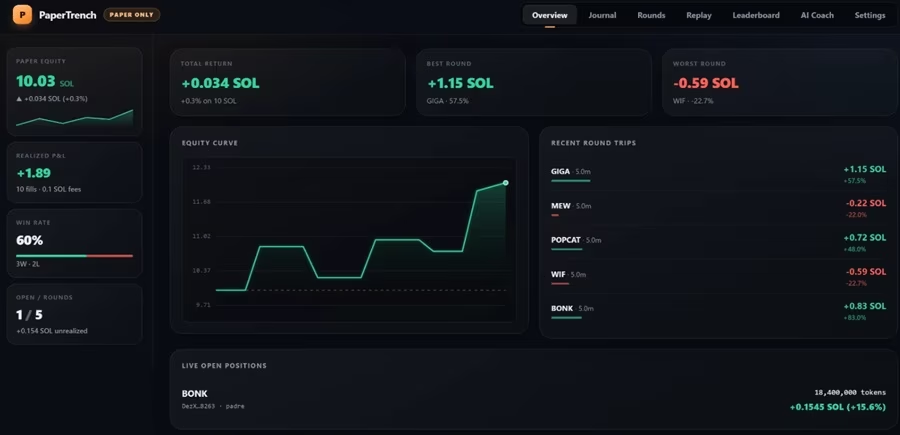
papertrench paper trading examples

It simulates balances in SOL, BNB, and ETH, allowing traders to practise across different networks without using their actual trading funds.

Main features

  • Fake SOL, BNB, and ETH balances.
  • Simulated market orders.
  • Fee and slippage calculations.
  • Portfolio tracking.
  • Realised and unrealised P&L.
  • Simulated execution using live quotes.
  • Local browser storage.
  • A network-level transaction-blocking mechanism advertised for paper mode.

Uniqueness: One feature worth noting is its network-level kill switch. The developer blocks real transaction broadcasts while paper mode is active. What’s the importance?

It is a useful safety feature to investigate, but you still need to verify the extension’s behaviour and current documentation before relying on it.

Important limitation: PaperTrench requires a paid licence key according to its Chrome Web Store description. It is not the same as a free extension that can be installed and used immediately.

Verdict: PaperTrench may be relevant if you want to practise through Axiom with multiple virtual asset balances. However, consider the licence requirement and verify the current supported networks before paying.

Alternative Solana & Axiom Trade Paper Trading Platforms

The following paper trading platforms do not have their own websites, so they require further investigation before use. I haven’t personally tested them.

If you’re considering using any of these platforms, do your own research to assess their safety and reliability.

Pay particular attention to user reviews, key features, potential benefits, and security warnings before getting started.

10. Axiom Paper Trader – Independent Axiom Simulator

Website: None (not associated with Axiom.Trade)

Extension: Axiom Paper Trader on the Chrome Web Store

Type: Chrome extension

Primary focus: Practising Solana token trades on Axiom.

Access: Free

Blockchains: SOL

Trading platforms: 1 – Axiom

Axiom Paper Trader is a separate browser extension that detects the token you are viewing on Axiom and provides a simulated trading panel.

Axiom Paper Trader

It is designed for users who want to practise buying and selling tokens without connecting a real wallet.

Supported Trading Terminals: 1 – Axiom.

Main features

  • Virtual SOL balances.
  • Automatic token detection.
  • Simulated buys and sells.
  • Partial selling.
  • Live P&L tracking.
  • Portfolio dashboard.
  • Trading history.
  • Activity log.
  • Average entry-price lines.
  • Buy and sell chart markers.
  • Rugcheck integration.

Privacy: Its Chrome Web Store listing says trades and positions are stored locally in the browser and that the developer declares it does not collect user data.

Verdict: Axiom Paper Trader is worth investigating if you want a simple Axiom-specific simulator with token detection, portfolio statistics, and chart markers. Check the current listing and developer details before installation.

11. Paper Trader by AgentLouie

Project: Paper Trader on GitHub

Type: Open-source Chrome extension

Primary focus: Local-only paper trading on Axiom, GMGN, and Padre.

Access: Free

 Blockchains: Solana.

Supported Trading Terminals: 3 – Axiom, GMGN, and Terminal.

Paper Trader by AgentLouie is an open-source Chrome extension that adds a simulated trading panel to supported Solana token pages.
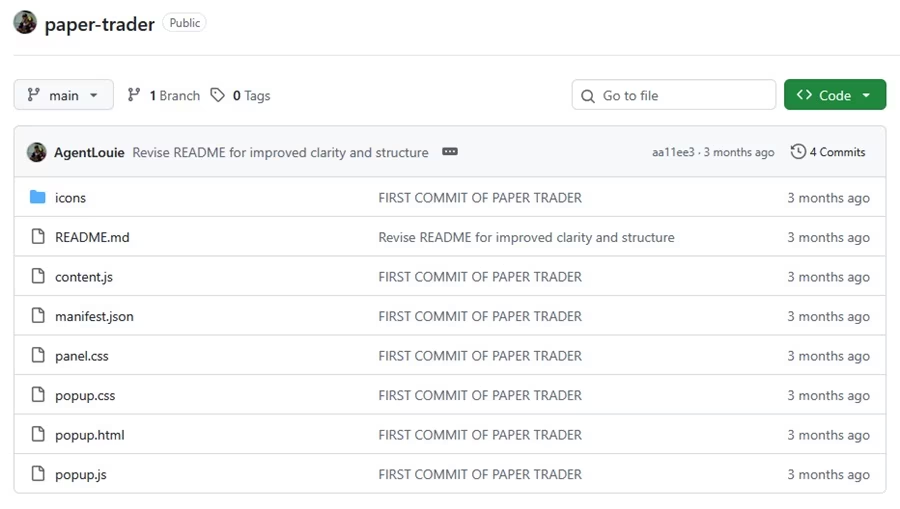
Paper Trader by AgentLouie

Unlike some commercial tools, it is designed to run locally in the browser, and the extension does not connect to wallets, sign transactions, or interact with real trading orders.

You also get a default 10 SOL starting balance and configurable execution adjustments intended to approximate trading costs.

Main features

  • Virtual SOL balance.
  • Simulated buys and sells.
  • Live token pricing through DEX Screener.
  • Axiom integration.
  • GMGN integration.
  • Padre integration.
  • Portfolio tracking.
  • Trading history.
  • Local browser storage.
  • No wallet connection.
  • No account or API key required.

How to install it

Unlike a normal Chrome Web Store extension, the project requires manual installation.

The general process is:

1. Open the project’s GitHub repository.

2. Download or clone the repository.

3. Open Chrome and visit chrome://extensions.

4. Enable Developer Mode.

5. Select Load unpacked.

6. Choose the extension folder.

7. Open a supported Axiom, GMGN, or Padre token page.

Verdict: This is an interesting option for technically comfortable traders who prefer an open-source, local-only simulator. It requires more installation effort than a standard browser-store extension.

Note: Only install software you understand and trust. Review the source code and repository activity before loading an unpacked extension. Otherwise, use the other ones with websites as listed


Is Paper Trading Worth It for Memecoin Traders?

Yes. Paper trading can be useful if you want to improve your trading decisions without risking real money.

However, it is only valuable when you treat it as a way to practise and evaluate your strategy.

Simply opening virtual positions and celebrating simulated profits will not automatically make you a better trader.

Here are five practical benefits.

  1. Practise Entries and Exits

One of the biggest challenges in memecoin trading is knowing when to enter and when to sell.

You may identify a token early but enter too late because you are afraid of missing out.

With paper trading, you can practise different entry conditions and compare the results.

For example, you could test:

  • Buying a breakout.
  • Entering after a pullback.
  • Buying after a volume increase.
  • Taking partial profits.
  • Exiting when a trading setup becomes invalid.

This helps you develop a more consistent approach.

  1. Test Different Trading Strategies

Suppose you want to test a strategy where you buy a token after it breaks above a resistance level.

Instead of using real SOL immediately, you can record the simulated entry price, position size, target, and stop-loss.

Repeat the process over multiple trades and review the results.

You can then compare the strategy against other approaches.

  1. Learn How Trading Terminals Work

If you are new to Axiom, GMGN, Photon, or Padre, a paper trading extension can help you become familiar with the interface.

You can practise:

  • Finding token information.
  • Understanding buy and sell controls.
  • Setting position sizes.
  • Using percentage exits.
  • Reviewing trading history.
  • Monitoring unrealised P&L.

This is especially useful before committing real funds to a trading terminal.

  1. Reduce Impulsive Trading

Memecoin markets can trigger FOMO.

You see a token pumping, other traders posting profits, and suddenly you feel pressure to buy before the opportunity disappears.

Paper trading gives you room to practise waiting for your entry conditions.

You can also test whether your exit plan makes sense instead of changing it whenever the market moves.

  1. Identify Weaknesses in Your Strategy

Your simulated trading history can reveal mistakes you may not notice during live trading.

For example:

  • Entering after most of the pump has already happened.
  • Taking profits too early.
  • Holding losing trades for too long.
  • Using oversized positions.
  • Ignoring stop-loss rules.
  • Trading too frequently.

These are valuable lessons to identify before increasing your exposure to real markets.


Is Paper Trading Accurate?

Paper trading can be useful, but it is not perfectly accurate.

The accuracy of a simulator depends on its market data, execution model, fee assumptions, slippage settings, and ability to reproduce real trading conditions.

A simulator that uses live token prices may give you a more realistic reference than one using delayed prices.

However, live prices alone do not make simulated execution identical to a real transaction.

What Paper Trading can simulate

Depending on the platform, it may simulate:

  • Token price movements.
  • Entry and exit prices.
  • Virtual position sizes.
  • Profit and loss.
  • Take-profit and stop-loss orders.
  • Limit orders.
  • Trading fees.
  • Estimated slippage.
  • Portfolio performance.

What Paper Trading may not reproduce accurately

  1. Real slippage

A simulated trade may use the displayed price, but a real transaction can execute at a different price because of liquidity and price impact.

  1. Liquidity limitations

A token may show a particular market price but have insufficient liquidity for your intended position size.

  1. Failed transactions

Real blockchain transactions can fail, become delayed, or require additional fees. A simulator may not reproduce these problems.

  1. Network fees

A real trade can involve network fees, priority fees, and other transaction costs. A simulator may omit some of these or use estimates.

  1. Rug pulls and honeypots

A simulator may allow you to sell a token successfully even when a real token contract or liquidity situation would prevent you from exiting.

  1. Emotional pressure

Losing virtual money is not the same as losing money from your actual wallet. Paper trading cannot fully reproduce the fear, greed, hesitation, and panic that come with real financial exposure.

The main takeaway is that paper trading can help you test your process, but it cannot guarantee that your live trading results will match your virtual results.

How to Start Paper Trading Memecoins

You do not need to install every extension on this list.

Choose one simulator that supports the trading platform and chain you want to practise with.

Step 1: Choose a Paper Trading Tool

If you mainly use Axiom, consider an Axiom-focused extension such as PaperFills or Aped.

If you use multiple trading terminals, investigate DryFlip, Paper, or Simora.

Step 2: Set a Realistic Virtual Balance

Choose a virtual balance that resembles the amount you might realistically allocate to trading.

For example, if you normally plan to use $100, practise with a $100 virtual balance rather than starting with an unrealistic amount.

This makes your position-sizing exercises more relevant.

Step 3: Choose Tokens to Practise With

Select tokens with accessible market information and enough trading activity for your practice exercise.

Do not select only tokens that have already performed well.

Include losing trades and tokens that fail to follow your expectations.

Step 4: Write Down Your Entry Conditions

Before entering a simulated trade, record why you want to buy.

Your reason could be:

  • A breakout above resistance.
  • A pullback to support.
  • An increase in trading volume.
  • A new narrative attracting attention.
  • A change in market momentum.

The important thing is to have a reason before entering.

Step 5: Decide Your Exit Strategy

Determine when you will take profits and when you will close a losing position.

You can use a fixed target, stop-loss, or a strategy based on market conditions.

Avoid changing your plan simply because the token starts moving against you.

Step 6: Record Every Trade

Track your entries, exits, position sizes, and reasons for trading.

A simulator’s built-in history can help, but you can also use a spreadsheet.

Step 7: Review Your Results

After completing a meaningful sample of trades, review your performance.

Look at your win rate, average profit, average loss, and whether you followed your rules.

Do not judge a strategy based on two or three successful simulations

How to Choose the Best Memecoin Paper Trading Platform

Before choosing a simulator, consider these factors.

Supported Blockchains

If you trade Solana memecoins, make sure the tool supports Solana.

If you trade BNB Chain memecoins, check for BNB Chain support.

Do not assume that a simulator supporting one chain automatically supports another.

Supported Trading Terminals

Check whether the extension works with the platform you already use.

For example, some tools support Axiom and GMGN but not every other memecoin terminal.

Live Market Data

Memecoins can move quickly, so current market information matters.

Find out where the simulator gets its prices and how frequently they update.

Fees and Slippage

A simulator that ignores trading costs can make a strategy appear more profitable than it would be in reality.

Look for tools that explain how they model fees, slippage, execution delay, and other costs.

Order Types

Consider whether the simulator supports the orders you want to practise:

  • Market orders.
  • Limit orders.
  • Take-profit orders.
  • Stop-loss orders.
  • Partial sells.

Trading History

A useful simulator should make it possible to review previous trades.

Look for position history, profit-and-loss tracking, and performance statistics.

Security and Privacy

A paper trading tool should not need your wallet’s seed phrase or private key.

Review its permissions, developer information, privacy policy, and installation source before using it.

Safety Tips Before Installing Memecoin Paper Trading Extensions

Browser extensions can interact with websites you visit. This makes it important to check what you are installing. 

Follow these precautions:

  1. Use official installation sources: Follow the extension link from the developer’s official website or verified browser store listing.
  2. Check the publisher: Confirm that the extension name and developer match the official information.
  3. Review permissions: Be cautious if an extension requests access that seems unnecessary for its stated function.
  4. Never share your recovery phrase: A paper trading simulator should not need your wallet’s seed phrase or private key.
  5. Consider a separate browser profile: Keep practice tools separate from your main wallet and trading sessions where possible.
  6. Check the trading panel: Make sure you are clicking simulated Buy and Sell controls, not the terminal’s real trading buttons.
  7. Review data storage: Find out whether your trading history is stored locally or on the developer’s servers.

Remember that a third-party paper trading extension is not automatically an official feature of Axiom, GMGN, or another trading terminal.

Frequently Asked Questions

What is the best memecoin paper trading extension?

PaperFills, Aped, DryFlip, Simora, Paper Ape, Tackers, and Axiom Paper Trader are options worth investigating. Compare their supported platforms, installation requirements, and simulation features before choosing.

Is there a memecoin paper trading app?

None, as of the time of writing. But there are browser extensions and web-based simulators that provide paper trading features. However, not every tool has a dedicated Android or iOS app. Check whether the product is a native mobile app, web app, or browser extension.

What are the BNB Memecoin Paper Trading Platforms?

The top ones are Dryflip, MockApe, Simora, and PaperTrench. 

Can I paper trade Solana memecoins?

Yes. Several tools in this guide advertise Solana support, including PaperFills, Aped, DryFlip, Paper, Simora, and Paper Trader by AgentLouie.

Can I paper trade BNB memecoins?

Some tools advertise BNB Chain support, including DryFlip and PaperTrench. Check the current network and token support before using them.

Does Axiom have paper trading?

No. They do not. And Axiom’s live trading interface should not be confused with third-party paper trading extensions. Tools such as PaperFills, Aped, and Axiom Paper Trader provide simulated trading features on supported Axiom pages. These are independent products, not necessarily native Axiom features.

Does GMGN have paper trading?

No, they do not. And Third-party tools such as DryFlip, Simora, Tackers, Paper, and Paper Trader by AgentLouie describe simulated trading support on GMGN. Check each extension’s current compatibility.

Can you make real money from paper trading?

No. Paper trading uses virtual funds. Simulated profits cannot be withdrawn as real money. Its purpose is to help you practise and evaluate your trading decisions.

How long should I paper trade before using real money?

There is no universal timeframe. Focus on completing enough trades to evaluate whether you can follow your strategy consistently. Review both winning and losing trades rather than moving to live trading after a few profitable simulations.

Final Verdict: Which Memecoin Paper Trading Platform Is Worth Trying?

Memecoin paper trading platforms and browser extensions give traders a way to practise without putting real SOL or other cryptocurrency at risk.

For Axiom-focused practice, PaperFills and Aped are particularly interesting. If you use multiple trading terminals, DryFlip, Paper, and Simora offer broader integration options. Firefox users can investigate Paper Ape, while technically comfortable users may prefer the open-source Paper Trader by AgentLouie.

There are also smaller and newer projects, including Tackers, Reps Trading, Axiom Paper Trader, and PaperTrench. These are worth examining, but their current development, adoption, and supported features should be checked before you rely on them.

The most important thing is not how much virtual profit you can generate. It is whether you are developing better trading habits.

Use paper trading to practise your entries, exits, risk management, and decision-making. Review your losing trades as carefully as your winners.

And remember: virtual profits do not guarantee real trading profits.

When you are good, you learn real-world memecoin trading strategies.

Worth Reading Next

Leave a Reply

Your email address will not be published. Required fields are marked *